
by Ziv Haparnas
Digital cameras are not different than other consumer electronic products. The cost of ownership is not limited to the sum paid to purchase the camera. In most cases consumers find themselves spending more money on accessories and other additional products. Failing to budget for those extra expenses can result in buying a camera just to find out it is not operable without spending more.
When buying a new camera consumers usually compare the features of different cameras and the prices at different stores. However often consumers fail to check what is included with the camera they plan to buy or more importantly what is not included. Some attention to details is needed in order to assess the real cost of the camera and to budget accordingly.
Following is a simple list of what to check and include in the budget of a new camera:
Memory card: All digital cameras store photos on a memory device. Usually a removable memory card is used. Most cameras include a basic small memory card. For example many cameras today come with 32MB of memory. Such a small memory card can hold a small number of photos and is not practical. When buying a camera always make sure to check how much memory is included. Then assess how much memory you will need (for example if you are going to take a lot of photos and wont have a computer handy to dump them onto you will need a bigger memory card). The next step would be to check the prices of such memory cards and to budget it in your camera purchase.
Batteries: All cameras include a battery that powers it up. There are many types of batteries for example standard AA or AAA or proprietary rechargeable batteries. Regardless of the type of battery when purchasing a camera check what batteries it uses and what batteries are included. Also check what the estimated battery life is. For example you probably need to buy an extra battery if your photo sessions are longer than the battery life. Make sure you budget the price of additional batteries before purchasing the camera.
PC connectivity: Any digital camera will eventually be connected to a PC in order to download photos. The most common methods of connectivity are USB and plugging the camera's memory card directly to the PC. Make sure that your camera includes the USB cable needed to connect to the PC. If you prefer connecting the removable memory directly to your PC budget an adaptor that can bridge between the memory card and the slots available in your PC.
Carrying case: Most cameras do not include a carrying case. For many consumers a carrying case is not a must have accessory. If you want to have a carrying case make sure you shop for the right one before buying the camera and that you budget its cost.
Lenses: High-end cameras such as digital SLR often require additional lenses. When reviewing your camera check what lenses come with the camera. If you are an amateur or a professional photographer and you know you will need more lenses shop around for lenses that fit your camera and budget their prices. Lenses can be very expensive and sometimes can cost more than the camera itself. For example when buying an SLR camera for outdoor photography that requires zoom lenses make sure you budget such lenses that fit the camera you plan to buy.
External Flash: In most cases an external flash is not needed. However it is good to check what external flashe devices are compatible with your camera and what their price range is. If you are an amateur or a professional photographer and you know that you will need an external flash in addition to your camera's built-in one make sure that you shop for one that can work with the camera and budget its cost before purchasing the camera. External flash devices prices can vary and can be a costly addition. Some high-end external flashes can cost more than the camera itself.
In conclusion it is important to remember to budget not only the basic camera price but also the prices of the mandatory and optional accessories. For example if you are going to take indoor photos and you need a large memory card and an external flash make sure that you budget those accessories before purchasing the camera. Failing to do so can result in spending your entire budget on the camera just to find out it is useless without some more essential accessories and more spending.
About the Author
More information on digital photo printing and photography is available on printrates.com - a site about digital photo printing This article can be reprinted and used as long as the resource box including the backlink is included. Ziv Haparnas writes about science and technology.
Disclamer:
The opinions expressed by authors in this blog are their own and in no way represent the opinions of the owner and or administrator of molophoto blog. Molophoto bears no responsibility for any opinion expressed by any contributing author and or article.
Tuesday, September 30, 2008

Sunday, September 28, 2008
How Many Pixels Make A Good Print?
by Ziv Haparnas
Ziv Haparnas is a technology expoert. This article can be reprinted only if the resource box including the backlink is included. Find more on photo printing and photography is on printrates.com - a place about digital photo printing Mr. Haparnas writes about practical technology issues. One of the more common dilemmas for people is choosing the paper size for printing their photos. Everybody knows that if your digital camera does not produce enough pixels (or actually megapixels) printing its photos on a large paper size will yield poor quality and you will be able to see the actual pixels (also known as pixelation)
So how many megepixels do I really need in order to print on a specific paper size? there is no one right answer for that. The actual quality of the print depends on many factors other than the number of pixels. For example the paper quality itself the printing process that is used the lighting conditions when the photo was taken the photo itself (i.e. portraits are different than scenery) and much more.
However a rough estimation of how good a picture will be based on the number of pixels can be calculated and is actually pretty easy to do. When evaluating how good a print will be there is a measurement that is simple to use and provides a good estimation for the quality - it is called PPI (pixels per inch). PPI is actually the number of pixels along one inch. To get a good print you would need a certain PPI (on both X and Y axis).
Experiments show that the following qualities are usually associated with a specific PPI number:
PPI 100 - fair to bad
PPI 200 - good
PPI 300 - very good
So all we need to do now is to figure out for each paper size how many megapixels translate to those PPI numbers. To calculate this we need to simply multiply the page length by its width in inches. The result is the number of square inches on the page. Now multiply this number by the square of the PPI number and the result is the number of pixels on the page which is the number of pixels we want our source photo to have. Here are the numbers calculated for some common sizes (for 100,200 and 300 PPI respectively):
page 4X6 0.24MP 1MP 2MP
page 5X7 0.35MP 1.5MP 3MP
page 8X10 0.8MP 3MP 7MP
page 11X14 1.5MP 6MP 14MP
page 16X20 3MP 12MP 28MP
page 20X30 6MP 24MP 54MP
Again we would like to emphasize that these are just ballpark numbers. Factors like the ones mentioned above and also like the compression ratio used (low or high compression) and the aspect ratio difference between the paper and the camera can result in a need for more or less pixels. Our best advice is if you are not sure just try one or two photos before printing a large batch.
About the Author
Mr. Haparnas writes about science and technology. Ziv Haparnas is an expert in technology. You can find more information on digital photo printing printing and photography in general on printrates.com - a site dedicated to digital prints This article can be reprinted as long as the resource box including the backlink is included.
Disclamer:
The opinions expressed by authors in this blog are their own and in no way represent the opinions of the owner and or administrator of molophoto blog. Molophoto bears no responsibility for any opinion expressed by any contributing author and or article.
Ziv Haparnas is a technology expoert. This article can be reprinted only if the resource box including the backlink is included. Find more on photo printing and photography is on printrates.com - a place about digital photo printing Mr. Haparnas writes about practical technology issues. One of the more common dilemmas for people is choosing the paper size for printing their photos. Everybody knows that if your digital camera does not produce enough pixels (or actually megapixels) printing its photos on a large paper size will yield poor quality and you will be able to see the actual pixels (also known as pixelation)
So how many megepixels do I really need in order to print on a specific paper size? there is no one right answer for that. The actual quality of the print depends on many factors other than the number of pixels. For example the paper quality itself the printing process that is used the lighting conditions when the photo was taken the photo itself (i.e. portraits are different than scenery) and much more.
However a rough estimation of how good a picture will be based on the number of pixels can be calculated and is actually pretty easy to do. When evaluating how good a print will be there is a measurement that is simple to use and provides a good estimation for the quality - it is called PPI (pixels per inch). PPI is actually the number of pixels along one inch. To get a good print you would need a certain PPI (on both X and Y axis).
Experiments show that the following qualities are usually associated with a specific PPI number:
PPI 100 - fair to bad
PPI 200 - good
PPI 300 - very good
So all we need to do now is to figure out for each paper size how many megapixels translate to those PPI numbers. To calculate this we need to simply multiply the page length by its width in inches. The result is the number of square inches on the page. Now multiply this number by the square of the PPI number and the result is the number of pixels on the page which is the number of pixels we want our source photo to have. Here are the numbers calculated for some common sizes (for 100,200 and 300 PPI respectively):
page 4X6 0.24MP 1MP 2MP
page 5X7 0.35MP 1.5MP 3MP
page 8X10 0.8MP 3MP 7MP
page 11X14 1.5MP 6MP 14MP
page 16X20 3MP 12MP 28MP
page 20X30 6MP 24MP 54MP
Again we would like to emphasize that these are just ballpark numbers. Factors like the ones mentioned above and also like the compression ratio used (low or high compression) and the aspect ratio difference between the paper and the camera can result in a need for more or less pixels. Our best advice is if you are not sure just try one or two photos before printing a large batch.
About the Author
Mr. Haparnas writes about science and technology. Ziv Haparnas is an expert in technology. You can find more information on digital photo printing printing and photography in general on printrates.com - a site dedicated to digital prints This article can be reprinted as long as the resource box including the backlink is included.
Disclamer:
The opinions expressed by authors in this blog are their own and in no way represent the opinions of the owner and or administrator of molophoto blog. Molophoto bears no responsibility for any opinion expressed by any contributing author and or article.
Friday, September 26, 2008
How Does the Camera Auto Focus Work and Why Sometimes It Fails?
by Ziv Haparnas
Mr. Haparnas writes about science and technology. Ziv Haparnas is an expert technology writer. This article can be reprinted only if the resource box including the backlink is included. You can find more information on digital photo printing printing and photography in general on printrates.com - a site dedicated to digital photo printing How does auto-focus work?
All of us use it every time we click on the shutter button. Practically all modern cameras include some sort of an auto focus system. Thanks to the auto focus system we can enjoy an easier photography experience and can concentrate on composing the right photo and capturing the moment rather than on manually setting the focus.
Automatic focus though has its limitations. For example sometimes one might want to produce photos which are a bit fuzzy as an artistic expression. Also the auto focus implementation has its limitations and in some scenarios it might fail. One example is using a high end SLR camera with a passive auto focus system to take a picture of blue skies. In most cases the camera will move its motor back and forth and will eventually give up and fail to focus.
To better use the auto focus system it would help to understand high it actually works. Although implementations can vary we can divide them all into two categories: passive and active. Most pocket cameras use the cheaper passive method while high end professional cameras use either the active or a combination of both.
Passive auto focus:
Passive auto focus can be perceived as imitating how we set the focus manually. The camera defines one or more regions in the picture (usually they are marked as rectangles on the viewfinder or the LCD). The camera then analyzes the picture seen through those regions and calculates a Focus Level number. The camera then tries to move its lenses back and forth as it recalculates the Focus Level. The camera looks for a position where the Focus Level is the highest. For that point if the Focus Level is above a predefined threshold the camera would define this region of the photo as being in focus.
The Focus Level can be calculated in many ways. The common attribute of all calculations is figuring out how much Contrast is there in the photo. Although not in the scope of this article one way to calculate such a number is by running the photo through a high frequency filter – this is based on the fact that high contrast is associated with high frequencies.
Active auto focus:
Active auto focus works by measuring the distance between the camera and the object in the picture. Technically if you knew the exact distance to the object you are taking a picture of you could set the lens to the exact focus position. The active focus system shoots a beam of invisible light, usually infrared, at the object at the center of the picture and measures the distance to that object. Based on that distance the focus is set.
Combined auto focus:
Some high end cameras combine both systems. The camera will pick the right system for the specific scenario or will cross check and use both at the same time. The photographer can also decide manually to use one of the two options. For example when shooting blue skies the camera can try to use the active system and measure the distance. Since the distance is infinite the camera can set the focus and skip the passive focus. In other cases when the distance is not infinite the camera can use the active system to put the lens in approximately the right position and then use the passive system for fine tuning. In dark scenarios the camera can opt to use the active system since the passive one will not work.
So why doesn't the auto focus work all the time?
Even with all the electronics and computing power in the camera there will always be scenarios where the camera auto focus fails. Failure can be when the camera can not focus and the picture is fuzzy or sometimes when the picture is actually in focus but the camera "thinks" that it is not.
What causes such cases? The list is long but here are just a few examples:
- Taking low light pictures: The passive auto focus system needs to "see" the picture in order to work and in low light scenarios this is not possible. Some systems use a series of flashes to overcome this limitation but this solution fails many times. An active system can measure the distance to the object in such scenarios but will fail if the object is not in the center of the picture or if there are a few objects at different distances.
- Active systems can fail with objects that tend to absorb the infrared beam they are using. Some materials absorb infrared beams and will cause the active system to measure the wrong distance. In some scenarios other infrared sources such as candles and open flame fires can render the active system useless.
- Low contrast objects such as white walls or blue skies. The passive auto focus relies on the fact that the Focus Level changes significantly when moving the lens back and forth. This allows the camera to settle on the right focus position. The Focus Level of low contrast objects does not change much and fails the passive system.
Knowing how the auto focus system works helps a photographer understand why sometimes the camera can not focus. In such scenarios the photographer can look for other solutions. Sometimes the photographer will have to use the manual focus. In other cases focusing on another object in the picture that is in the same distance but easier to focus on and locking the focus on that object will solve the problem.
About the Author
Ziv Haparnas is a technology expoert. This article can be reprinted only if the resource box including the backlink is included. Find more on photo printing and photography is on printrates.com - a place about digital photo printing Mr. Haparnas writes about practical technology issues.
Disclamer:
The opinions expressed by authors in this blog are their own and in no way represent the opinions of the owner and or administrator of molophoto blog. Molophoto bears no responsibility for any opinion expressed by any contributing author and or article.
Mr. Haparnas writes about science and technology. Ziv Haparnas is an expert technology writer. This article can be reprinted only if the resource box including the backlink is included. You can find more information on digital photo printing printing and photography in general on printrates.com - a site dedicated to digital photo printing How does auto-focus work?
All of us use it every time we click on the shutter button. Practically all modern cameras include some sort of an auto focus system. Thanks to the auto focus system we can enjoy an easier photography experience and can concentrate on composing the right photo and capturing the moment rather than on manually setting the focus.
Automatic focus though has its limitations. For example sometimes one might want to produce photos which are a bit fuzzy as an artistic expression. Also the auto focus implementation has its limitations and in some scenarios it might fail. One example is using a high end SLR camera with a passive auto focus system to take a picture of blue skies. In most cases the camera will move its motor back and forth and will eventually give up and fail to focus.
To better use the auto focus system it would help to understand high it actually works. Although implementations can vary we can divide them all into two categories: passive and active. Most pocket cameras use the cheaper passive method while high end professional cameras use either the active or a combination of both.
Passive auto focus:
Passive auto focus can be perceived as imitating how we set the focus manually. The camera defines one or more regions in the picture (usually they are marked as rectangles on the viewfinder or the LCD). The camera then analyzes the picture seen through those regions and calculates a Focus Level number. The camera then tries to move its lenses back and forth as it recalculates the Focus Level. The camera looks for a position where the Focus Level is the highest. For that point if the Focus Level is above a predefined threshold the camera would define this region of the photo as being in focus.
The Focus Level can be calculated in many ways. The common attribute of all calculations is figuring out how much Contrast is there in the photo. Although not in the scope of this article one way to calculate such a number is by running the photo through a high frequency filter – this is based on the fact that high contrast is associated with high frequencies.
Active auto focus:
Active auto focus works by measuring the distance between the camera and the object in the picture. Technically if you knew the exact distance to the object you are taking a picture of you could set the lens to the exact focus position. The active focus system shoots a beam of invisible light, usually infrared, at the object at the center of the picture and measures the distance to that object. Based on that distance the focus is set.
Combined auto focus:
Some high end cameras combine both systems. The camera will pick the right system for the specific scenario or will cross check and use both at the same time. The photographer can also decide manually to use one of the two options. For example when shooting blue skies the camera can try to use the active system and measure the distance. Since the distance is infinite the camera can set the focus and skip the passive focus. In other cases when the distance is not infinite the camera can use the active system to put the lens in approximately the right position and then use the passive system for fine tuning. In dark scenarios the camera can opt to use the active system since the passive one will not work.
So why doesn't the auto focus work all the time?
Even with all the electronics and computing power in the camera there will always be scenarios where the camera auto focus fails. Failure can be when the camera can not focus and the picture is fuzzy or sometimes when the picture is actually in focus but the camera "thinks" that it is not.
What causes such cases? The list is long but here are just a few examples:
- Taking low light pictures: The passive auto focus system needs to "see" the picture in order to work and in low light scenarios this is not possible. Some systems use a series of flashes to overcome this limitation but this solution fails many times. An active system can measure the distance to the object in such scenarios but will fail if the object is not in the center of the picture or if there are a few objects at different distances.
- Active systems can fail with objects that tend to absorb the infrared beam they are using. Some materials absorb infrared beams and will cause the active system to measure the wrong distance. In some scenarios other infrared sources such as candles and open flame fires can render the active system useless.
- Low contrast objects such as white walls or blue skies. The passive auto focus relies on the fact that the Focus Level changes significantly when moving the lens back and forth. This allows the camera to settle on the right focus position. The Focus Level of low contrast objects does not change much and fails the passive system.
Knowing how the auto focus system works helps a photographer understand why sometimes the camera can not focus. In such scenarios the photographer can look for other solutions. Sometimes the photographer will have to use the manual focus. In other cases focusing on another object in the picture that is in the same distance but easier to focus on and locking the focus on that object will solve the problem.
About the Author
Ziv Haparnas is a technology expoert. This article can be reprinted only if the resource box including the backlink is included. Find more on photo printing and photography is on printrates.com - a place about digital photo printing Mr. Haparnas writes about practical technology issues.
Disclamer:
The opinions expressed by authors in this blog are their own and in no way represent the opinions of the owner and or administrator of molophoto blog. Molophoto bears no responsibility for any opinion expressed by any contributing author and or article.
Wednesday, September 24, 2008
How does a digital camera combined auto focus work
by Ziv Haparnas
Objects in good focus in a digital photo is a very basic requirement for high quality photography. There are two different ways to focus on such objects: manual or automatic. There are a few automatic focus methods – combined auto focus systems use more than one such method.
High quality sharp and crisp digital photos are a result of many optical parameters that need to be set right. One of the most important optical parameters is focus. When objects in a digital photo are out of focus they look blurry and are missing details and clarity. When objects are in focus they look sharp and crisp.
While the focus can be manually set by the photographer in most cases using the digital camera's automatic focus feature is much easier and faster. There are many different algorithms and methods that digital cameras use in order to automatically determine the right focus for a specific scenario. Such algorithms include passive and active auto focus. One type of combined automatic focus system uses these two algorithms to delivery superior automatic focus.
Combined passive and active auto focus
Active auto focus systems use distance sensors that measure the distance from the camera to the objects in the scene. Usually the camera measures the distance to the object or objects around the center of the photo. By knowing that distance the camera can then set the camera lenses to achieve good focus. One of active auto focus biggest advantages is that it can work in complete darkness. On the other hand active focus can fail in problematic scenarios such as when objects emit certain energies (like infrared) are photographed or when surfaces in the scene absorb the energy used to measure the distance.
Passive auto focus systems use software that runs on the digital camera built-in computer. The camera executes such image processing algorithms to determine a Focus Level number. The exact way in which such a number is calculated is out of the scope of this article. Suffice is to say that the camera uses some image processing algorithms with which it can calculate how good the focus is. Using these algorithms the camera can find the best focus for the scene. In some scenes the passive auto focus is limited or not functional at all. It does not work well in poor lighting conditions and does not work at all in dark scenes. It is also hard to focus on low contrast objects such as walls or solid surfaces.
Cameras that are equipped with combined auto focus systems pick the right system for the specific scene or cross check by using both systems at the same time. The photographer can also manually decide to use one of the two options. For example when shooting blue skies the camera can try to use the active system and measure the distance. Since the distance is infinite the camera can set the focus and skip the passive focus. In other cases when the distance is not infinite the camera can use the active system to put the lens in approximately the right position and then use the passive system for fine tuning. In dark scenarios the camera can opt to use the active system since the passive system will not work.
About the Author
Information about photography and photo prints is on printrates.com - your home for digital prints This article can be reprinted and used as long as the resource box including the backlink is included. Ziv Haparnas writes about science and technology.
Disclamer:
The opinions expressed by authors in this blog are their own and in no way represent the opinions of the owner and or administrator of molophoto blog. Molophoto bears no responsibility for any opinion expressed by any contributing author and or article.
Objects in good focus in a digital photo is a very basic requirement for high quality photography. There are two different ways to focus on such objects: manual or automatic. There are a few automatic focus methods – combined auto focus systems use more than one such method.
High quality sharp and crisp digital photos are a result of many optical parameters that need to be set right. One of the most important optical parameters is focus. When objects in a digital photo are out of focus they look blurry and are missing details and clarity. When objects are in focus they look sharp and crisp.
While the focus can be manually set by the photographer in most cases using the digital camera's automatic focus feature is much easier and faster. There are many different algorithms and methods that digital cameras use in order to automatically determine the right focus for a specific scenario. Such algorithms include passive and active auto focus. One type of combined automatic focus system uses these two algorithms to delivery superior automatic focus.
Combined passive and active auto focus
Active auto focus systems use distance sensors that measure the distance from the camera to the objects in the scene. Usually the camera measures the distance to the object or objects around the center of the photo. By knowing that distance the camera can then set the camera lenses to achieve good focus. One of active auto focus biggest advantages is that it can work in complete darkness. On the other hand active focus can fail in problematic scenarios such as when objects emit certain energies (like infrared) are photographed or when surfaces in the scene absorb the energy used to measure the distance.
Passive auto focus systems use software that runs on the digital camera built-in computer. The camera executes such image processing algorithms to determine a Focus Level number. The exact way in which such a number is calculated is out of the scope of this article. Suffice is to say that the camera uses some image processing algorithms with which it can calculate how good the focus is. Using these algorithms the camera can find the best focus for the scene. In some scenes the passive auto focus is limited or not functional at all. It does not work well in poor lighting conditions and does not work at all in dark scenes. It is also hard to focus on low contrast objects such as walls or solid surfaces.
Cameras that are equipped with combined auto focus systems pick the right system for the specific scene or cross check by using both systems at the same time. The photographer can also manually decide to use one of the two options. For example when shooting blue skies the camera can try to use the active system and measure the distance. Since the distance is infinite the camera can set the focus and skip the passive focus. In other cases when the distance is not infinite the camera can use the active system to put the lens in approximately the right position and then use the passive system for fine tuning. In dark scenarios the camera can opt to use the active system since the passive system will not work.
About the Author
Information about photography and photo prints is on printrates.com - your home for digital prints This article can be reprinted and used as long as the resource box including the backlink is included. Ziv Haparnas writes about science and technology.
Disclamer:
The opinions expressed by authors in this blog are their own and in no way represent the opinions of the owner and or administrator of molophoto blog. Molophoto bears no responsibility for any opinion expressed by any contributing author and or article.
Monday, September 22, 2008
How does a digital camera active auto focus work?
by Ziv Haparnas
In focus objects in a digital photo is a very basic requirement for high quality photography. There are two different ways to focus on such objects: manual or automatic. There are a few automatic focus methods one of them is known as active auto focus.
High quality sharp and crisp digital photos are a result of many optical parameters that need to be set right. One of the most important optical parameters is focus. When objects in a digital photo are out of focus they look blurry and are missing details and clarity. When objects are in focus they look sharp and crisp.
While focus can be set manually by the photographer in most cases using the digital camera's automatic focus feature is much easier and faster. There are many different algorithms and methods that digital cameras use in order to automatically determine the right focus for a specific scenario. One of those methods is knows as active auto focus.
Active auto focus
Setting the digital camera focus to its right position can be easy if only you knew the exact distance between the camera and the object or objects that you are trying to focus on. If you know the lenses that you are using, the aperture and all the other optical settings then by simply by knowing the distance to the object or objects in the digital photo the exact focus can be calculated and set.
This is exactly how active focus works. Digital cameras that are equipped with an active auto focus system use distance sensors that measure the distance from the camera to the objects in the scene. Usually the camera measures the distance to the object or objects around the center of the photo.
There are a few techniques to measure the distance. One of them is by using an ultrasonic sensor. Such a sensor transmits an ultrasonic signal toward the object. When the signal hits the object it bounces back and some of its bounced energy is received back by the digital camera sensors. The digital camera measures the time it took the signal to reach back the camera and since the speed of such an ultrasonic signal is known the distance can be calculated. Other methods use infrared signals. Once the camera determined the distance to the objects the focus can be set by calculating the exact position of the lenses and by moving the lenses to that position.
Active auto focus has the advantage of working in complete darkness. Since the camera does not rely on measurements done on the captured photo the camera sensors can calculate the distance to the object in complete darkness and in focus high quality digital photos can be taken in scenarios where otherwise focus would have been impossible.
Since the active auto focus method requires extra sensors it is more expensive to implement and is usually found in higher end digital SLR cameras. Active auto focus can sometimes fail. The reasons can vary: some objects tend to absorb the transmitted signal energy instead of bouncing it back while other objects actually radiate similar signals (for example candles radiate infrared energy) and can confuse the digital camera sensors. When the auto focus fails you can either try to focus on other objects in the same distance from the digital camera, lock the focus and pan back to the original objects you wanted to capture or you can revert to old fashion manual focus.
About the Author
Ziv Haparnas is a technology expoert. This article can be published as long as the resource box including the backlink is included. Mr. Haparnas writes about practical technology and science issues. You can find more information on digital photo printing and photography in general on printrates.com - a site dedicated to photo printing
Disclamer:
The opinions expressed by authors in this blog are their own and in no way represent the opinions of the owner and or administrator of molophoto blog. Molophoto bears no responsibility for any opinion expressed by any contributing author and or article.
In focus objects in a digital photo is a very basic requirement for high quality photography. There are two different ways to focus on such objects: manual or automatic. There are a few automatic focus methods one of them is known as active auto focus.
High quality sharp and crisp digital photos are a result of many optical parameters that need to be set right. One of the most important optical parameters is focus. When objects in a digital photo are out of focus they look blurry and are missing details and clarity. When objects are in focus they look sharp and crisp.
While focus can be set manually by the photographer in most cases using the digital camera's automatic focus feature is much easier and faster. There are many different algorithms and methods that digital cameras use in order to automatically determine the right focus for a specific scenario. One of those methods is knows as active auto focus.
Active auto focus
Setting the digital camera focus to its right position can be easy if only you knew the exact distance between the camera and the object or objects that you are trying to focus on. If you know the lenses that you are using, the aperture and all the other optical settings then by simply by knowing the distance to the object or objects in the digital photo the exact focus can be calculated and set.
This is exactly how active focus works. Digital cameras that are equipped with an active auto focus system use distance sensors that measure the distance from the camera to the objects in the scene. Usually the camera measures the distance to the object or objects around the center of the photo.
There are a few techniques to measure the distance. One of them is by using an ultrasonic sensor. Such a sensor transmits an ultrasonic signal toward the object. When the signal hits the object it bounces back and some of its bounced energy is received back by the digital camera sensors. The digital camera measures the time it took the signal to reach back the camera and since the speed of such an ultrasonic signal is known the distance can be calculated. Other methods use infrared signals. Once the camera determined the distance to the objects the focus can be set by calculating the exact position of the lenses and by moving the lenses to that position.
Active auto focus has the advantage of working in complete darkness. Since the camera does not rely on measurements done on the captured photo the camera sensors can calculate the distance to the object in complete darkness and in focus high quality digital photos can be taken in scenarios where otherwise focus would have been impossible.
Since the active auto focus method requires extra sensors it is more expensive to implement and is usually found in higher end digital SLR cameras. Active auto focus can sometimes fail. The reasons can vary: some objects tend to absorb the transmitted signal energy instead of bouncing it back while other objects actually radiate similar signals (for example candles radiate infrared energy) and can confuse the digital camera sensors. When the auto focus fails you can either try to focus on other objects in the same distance from the digital camera, lock the focus and pan back to the original objects you wanted to capture or you can revert to old fashion manual focus.
About the Author
Ziv Haparnas is a technology expoert. This article can be published as long as the resource box including the backlink is included. Mr. Haparnas writes about practical technology and science issues. You can find more information on digital photo printing and photography in general on printrates.com - a site dedicated to photo printing
Disclamer:
The opinions expressed by authors in this blog are their own and in no way represent the opinions of the owner and or administrator of molophoto blog. Molophoto bears no responsibility for any opinion expressed by any contributing author and or article.
Sunday, September 21, 2008
first try on hdr
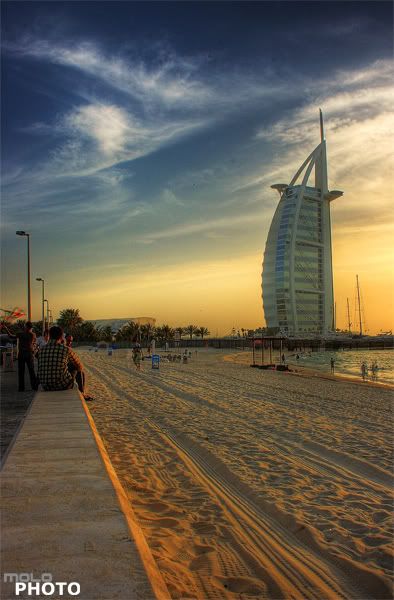 Exif
ExifCamera Model: Canon 400D
Lens Aperture: F/18
ISO: 100
Focal Length: 22mm
Exposure Program: HDR
Saturday, September 20, 2008
Facts about flash units and taking photos using a flash
by Ziv Haparnas
For most of us firing the flash is something that happens in the background and that does not require our attention.. Flash photography was not always so easy to use. Flash is useful in many situations for example when taking photos in dark scenes or when getting rid of shades in fill in mode. It is beneficial to know some facts about flash usage and how it works.
Flash photography has been around for more than a hundred years. At first it was a dangerous and a manually controlled technology. It used powder that was literally ignited by either fire or electrical current. These flash solutions were both dangerous and hard to use since the flash was not automatically synchronized to the camera's shutter. This meant that the photographer had to manually synchronize the shutter and the flash making sure that the flash was fired at exactly the time when the shutter was being opened. Modern flash units use an electronic flash tube that is synchronized to the camera's shutter – relieving the photographer from the burden of timing the shutter and the flash.
Here are some facts that are important to know about flash units and shooting photos using them:
Internal flash units:
Internal flash units are built into the camera. They are controlled through the camera's menus and buttons. Internal flash units are usually small (limited by the camera size). As a result they are relatively weak units and only allow photography in dark conditions to a distance of a few feet. Internal flash units are easiest to use as they do not require any special settings or buying and installing accessories. In most cameras the internal flash can set to an automatic "point and shoot" mode in which the camera fires the flash whenever it senses that it is needed. Some low-end cameras can only use built-in flash units. Most cameras however support external flash units attached to the camera body.
External flash units:
External flash units are either mechanically attached to the camera's body through a dedicated slide-in slot or are mechanically detached from the camera and only connected via an electrical synchronization cable. External flash units come in many sizes and have different features. They vary in intensity– how much light they generate and for how long - and in mechanical features – can they be tilted or skewed or are they fixed in relation to the camera's body. The external units are electrically connected to the camera allowing the camera to control the flash timing. Some connection standards also transmit advanced information to the flash unit such as the reading of the camera's light sensors, its optical settings and more. This allows smart external flash units to optimize their settings for shooting the best photo.
Firing the flash:
The decision to fire the flash is either automatic or manual. The camera can fire the flash when there is not enough light available. In some scenarios the camera will not automatically fire the flash although doing so would have resulted in a much better photo. One such scenario is taking a photo during day time when the object is shadowed. For example if the object is wearing a hat the hat can block the light from the object's face or when the object is lit from the side the object's nose can block the light creating a shadow. In such scenarios the flash unit can be set to "fill in" mode. The flash will be fired to fill-in those shadowed areas but it will not be fired strong enough to wash out the photo. Another scenario is when the sun is behind the object. One example is taking a photo on the beach during a sunset. If taken without a fill-in flash the result will most likely be a silhouette of the object. If taken with a fill-in flash and the object in range the result will be a clear photo of the object against a sunset.
Flash can also cause problems:
Shooting a photo using the flash can also cause problems. One such problem is washed out photos as a result of the flash being too strong or the object too close to the camera. Washed out photos do not have enough details and the object appears to be too white or too bright. Another problem is a photo with more details than in the original scene: in some scenarios the flash can create artificial shadows and lights which result in a photo that includes details that are exaggerated relative to their appearance in real life. For example when taking a photo of an older man using a flash the skin wrinkles and imperfections can look much worse than they really are in real life.
Flash is limited:
It is important to know the limitations of the flash unit. Any flash unit has a certain amount of light that it can generate. Usually this amount can be translated to an effective flash range. When trying to take a photo with the object too far – more than the flash unit range – the object will appear dark. If you need to take a photo with your objects not within your flash unit range it is better to turn off the flash completely and use a tripod and long exposure. Using the flash in such scenarios can fool the camera into setting lower exposure which results in a photo darker than a photo taken without using the flash at all.
It is important to know the flash unit that you are using and to get a feeling of when and how it should be used. The best way to accomplish that is by experimenting. With digital photography experimenting is practically free as there is no film development cost – take advantage of that and experiment shooting photos in different scenarios with and without a flash.
About the Author
This article can be reprinted as long as the resource box including the backlink is included. Find more on photo printing and photography is on printrates.com - a place about digital photo print service Ziv Haparnas writes about technology and digital photography. Ziv Haparnas is an expert in technology.
Disclamer:
The opinions expressed by authors in this blog are their own and in no way represent the opinions of the owner and or administrator of molophoto blog. Molophoto bears no responsibility for any opinion expressed by any contributing author and or article.
For most of us firing the flash is something that happens in the background and that does not require our attention.. Flash photography was not always so easy to use. Flash is useful in many situations for example when taking photos in dark scenes or when getting rid of shades in fill in mode. It is beneficial to know some facts about flash usage and how it works.
Flash photography has been around for more than a hundred years. At first it was a dangerous and a manually controlled technology. It used powder that was literally ignited by either fire or electrical current. These flash solutions were both dangerous and hard to use since the flash was not automatically synchronized to the camera's shutter. This meant that the photographer had to manually synchronize the shutter and the flash making sure that the flash was fired at exactly the time when the shutter was being opened. Modern flash units use an electronic flash tube that is synchronized to the camera's shutter – relieving the photographer from the burden of timing the shutter and the flash.
Here are some facts that are important to know about flash units and shooting photos using them:
Internal flash units:
Internal flash units are built into the camera. They are controlled through the camera's menus and buttons. Internal flash units are usually small (limited by the camera size). As a result they are relatively weak units and only allow photography in dark conditions to a distance of a few feet. Internal flash units are easiest to use as they do not require any special settings or buying and installing accessories. In most cameras the internal flash can set to an automatic "point and shoot" mode in which the camera fires the flash whenever it senses that it is needed. Some low-end cameras can only use built-in flash units. Most cameras however support external flash units attached to the camera body.
External flash units:
External flash units are either mechanically attached to the camera's body through a dedicated slide-in slot or are mechanically detached from the camera and only connected via an electrical synchronization cable. External flash units come in many sizes and have different features. They vary in intensity– how much light they generate and for how long - and in mechanical features – can they be tilted or skewed or are they fixed in relation to the camera's body. The external units are electrically connected to the camera allowing the camera to control the flash timing. Some connection standards also transmit advanced information to the flash unit such as the reading of the camera's light sensors, its optical settings and more. This allows smart external flash units to optimize their settings for shooting the best photo.
Firing the flash:
The decision to fire the flash is either automatic or manual. The camera can fire the flash when there is not enough light available. In some scenarios the camera will not automatically fire the flash although doing so would have resulted in a much better photo. One such scenario is taking a photo during day time when the object is shadowed. For example if the object is wearing a hat the hat can block the light from the object's face or when the object is lit from the side the object's nose can block the light creating a shadow. In such scenarios the flash unit can be set to "fill in" mode. The flash will be fired to fill-in those shadowed areas but it will not be fired strong enough to wash out the photo. Another scenario is when the sun is behind the object. One example is taking a photo on the beach during a sunset. If taken without a fill-in flash the result will most likely be a silhouette of the object. If taken with a fill-in flash and the object in range the result will be a clear photo of the object against a sunset.
Flash can also cause problems:
Shooting a photo using the flash can also cause problems. One such problem is washed out photos as a result of the flash being too strong or the object too close to the camera. Washed out photos do not have enough details and the object appears to be too white or too bright. Another problem is a photo with more details than in the original scene: in some scenarios the flash can create artificial shadows and lights which result in a photo that includes details that are exaggerated relative to their appearance in real life. For example when taking a photo of an older man using a flash the skin wrinkles and imperfections can look much worse than they really are in real life.
Flash is limited:
It is important to know the limitations of the flash unit. Any flash unit has a certain amount of light that it can generate. Usually this amount can be translated to an effective flash range. When trying to take a photo with the object too far – more than the flash unit range – the object will appear dark. If you need to take a photo with your objects not within your flash unit range it is better to turn off the flash completely and use a tripod and long exposure. Using the flash in such scenarios can fool the camera into setting lower exposure which results in a photo darker than a photo taken without using the flash at all.
It is important to know the flash unit that you are using and to get a feeling of when and how it should be used. The best way to accomplish that is by experimenting. With digital photography experimenting is practically free as there is no film development cost – take advantage of that and experiment shooting photos in different scenarios with and without a flash.
About the Author
This article can be reprinted as long as the resource box including the backlink is included. Find more on photo printing and photography is on printrates.com - a place about digital photo print service Ziv Haparnas writes about technology and digital photography. Ziv Haparnas is an expert in technology.
Disclamer:
The opinions expressed by authors in this blog are their own and in no way represent the opinions of the owner and or administrator of molophoto blog. Molophoto bears no responsibility for any opinion expressed by any contributing author and or article.
Friday, September 19, 2008
burj al arab series 3 of 3
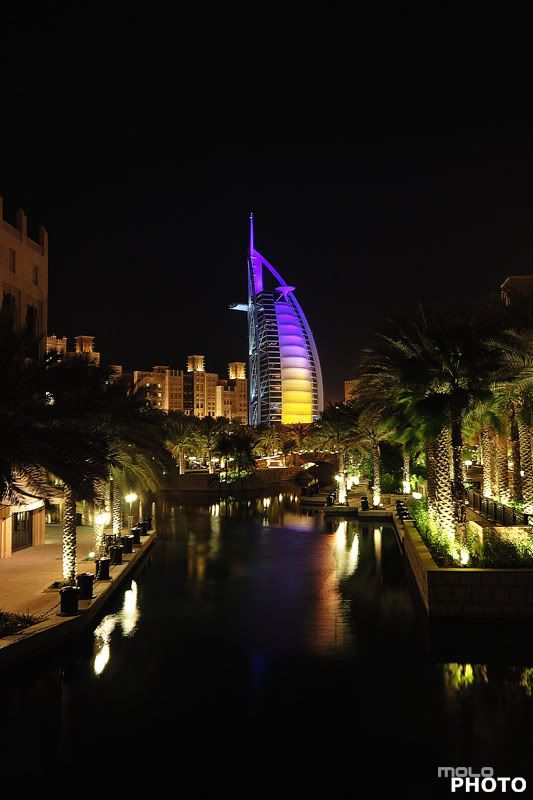 Exif
ExifCamera Model: Canon 400D
Shutter Speed: 10 sec.
Lens Aperture: F/8
ISO: 100
Focal Length: 20mm
Exposure Program: Manual
Thursday, September 18, 2008
Effective use of Flash Photography
by Ziv Haparnas
Did you ever put your flash unit in manual mode? Did you ever manually turn on the flash when taking a day time outdoor photo? For many the answer to both questions is "no". For most amateur photographers flash is just a solution for taking photos when there is not enough natural light. Although a legitimate use of flash photography there is much more ways to efficiently use flash. In this article we will cover the various types of flash units available, the different scenarios under which they can be used, the advantages of using flash to achieve better photos and the common mistakes people do when using flash photography.
As with any other technology knowing how it works behind the scenes and what your options are can help in better utilizing it for your advantage. Flash photography has been around for more than a hundred years. It started with a dangerous and manually controlled technology that used a powder that was lit by either fire or electrical current. These flash solutions were both dangerous and hard to use since the flash was not automatically synchronized to the camera's shutter. Modern flash units use an electronic flash tube that is synchronized with the camera's shutter. When turning the flash on the photographer does not need to worry about flash timing - the camera takes care of it automatically.
There are two types of flash units: Internal and External. The internal flash unit is built-in to your camera. It can be controlled through the camera's menus. Some low end cameras only allow the use of their built-in units. Some low end cameras and all high end cameras also allow the attachment of an external flash unit. External flash units are either attached to the camera's body through a dedicated slide-in slot or are connected to the camera using a cable. They vary in strength – how much light can they generate for how long - and in mechanical characteristics – can they be tilted or skewed or are they fixed in relation to the camera's body. Regardless of the connection type external flash units are electronically connected to the camera and are synchronized with the shutter.
When setting your flash unit to automatic mode the camera fires the flash in scenarios where not enough light is available. Many times the camera will make a wrong judgment and will either fire or not fire the flash when the opposite was needed. Also in some scenarios the camera will not be able to tell that firing the flash will actually result in a better photo. One problem when using a flash is washed out photos. When the flash is too strong or the object is too close to the camera the result is a washed out photo there are not enough details and the object appears to be too white or too bright. Another problem is a photo with too many details: in some scenarios the flash can create artificial shadows and lights which result in a photo that includes details that are exaggerated relative to their appearance in real life. For example when taking a photo of an older person skin wrinkles and imperfections can look much worse than they really are in real life.
It is important to know the limitations of the flash unit. Any flash unit has a certain amount of light that it can generate. Usually this amount can be translated to an effective range for using the flash. When trying to take a photo with the object too far – more than the flash unit range – the object will appear dark. When trying to take a photo with the object too close to the camera the object will be washed out or too white. It is important to know your flash range and make sure that your object is within that range.
If you need to take a photo with your objects not within your flash unit range it is better to turn off the flash completely and use a tripod with long exposure. Using the flash in such scenarios can fool the camera into setting a high shutter speed which results in a photo darker than a photo taken without using the flash at all.
In some scenarios the camera will not automatically fire the flash although using the flash would have resulted in a much better photo. One such scenario is taking a photo during day time when the object is shadowed. For example if the object is wearing a hat the hat can block the light from the object's face or when the object is lit from the side the object's nose can block the light creating a shadow. In such scenarios the flash unit can be set to "fill in" mode. The flash will be fired to fill-in those shadowed areas but it will not be fired strong enough to wash out the photo.
Another scenario is when the sun is behind the object. One example is taking a photo on the beach against a sunset. If taken without a fill-in flash the result will most likely be a silhouette of the object. If taken with a fill-in flash and the object in range the result will be a clear photo of the object against a sunset.
In conclusion your flash unit can be a great tool. Although for many using the flash in automatic mode is enough for the more sophisticated photographer who wants to achieve higher quality photos understanding and experimenting with the flash unit can yield great results. Following some simple rules such as making sure objects are within the flash unit range and using fill-in flash when shadows can appear on the objects is easy and significantly improves your photos.
About the Author
Mr. Haparnas writes about science and technology. You can find more information on digital photo printing printing and photography in general on printrates.com - a site dedicated to photo printing This article can be reprinted as long as the resource box including the backlink is included. Ziv Haparnas is an expert technology writer.
Disclamer:
The opinions expressed by authors in this blog are their own and in no way represent the opinions of the owner and or administrator of molophoto blog. Molophoto bears no responsibility for any opinion expressed by any contributing author and or article.
Did you ever put your flash unit in manual mode? Did you ever manually turn on the flash when taking a day time outdoor photo? For many the answer to both questions is "no". For most amateur photographers flash is just a solution for taking photos when there is not enough natural light. Although a legitimate use of flash photography there is much more ways to efficiently use flash. In this article we will cover the various types of flash units available, the different scenarios under which they can be used, the advantages of using flash to achieve better photos and the common mistakes people do when using flash photography.
As with any other technology knowing how it works behind the scenes and what your options are can help in better utilizing it for your advantage. Flash photography has been around for more than a hundred years. It started with a dangerous and manually controlled technology that used a powder that was lit by either fire or electrical current. These flash solutions were both dangerous and hard to use since the flash was not automatically synchronized to the camera's shutter. Modern flash units use an electronic flash tube that is synchronized with the camera's shutter. When turning the flash on the photographer does not need to worry about flash timing - the camera takes care of it automatically.
There are two types of flash units: Internal and External. The internal flash unit is built-in to your camera. It can be controlled through the camera's menus. Some low end cameras only allow the use of their built-in units. Some low end cameras and all high end cameras also allow the attachment of an external flash unit. External flash units are either attached to the camera's body through a dedicated slide-in slot or are connected to the camera using a cable. They vary in strength – how much light can they generate for how long - and in mechanical characteristics – can they be tilted or skewed or are they fixed in relation to the camera's body. Regardless of the connection type external flash units are electronically connected to the camera and are synchronized with the shutter.
When setting your flash unit to automatic mode the camera fires the flash in scenarios where not enough light is available. Many times the camera will make a wrong judgment and will either fire or not fire the flash when the opposite was needed. Also in some scenarios the camera will not be able to tell that firing the flash will actually result in a better photo. One problem when using a flash is washed out photos. When the flash is too strong or the object is too close to the camera the result is a washed out photo there are not enough details and the object appears to be too white or too bright. Another problem is a photo with too many details: in some scenarios the flash can create artificial shadows and lights which result in a photo that includes details that are exaggerated relative to their appearance in real life. For example when taking a photo of an older person skin wrinkles and imperfections can look much worse than they really are in real life.
It is important to know the limitations of the flash unit. Any flash unit has a certain amount of light that it can generate. Usually this amount can be translated to an effective range for using the flash. When trying to take a photo with the object too far – more than the flash unit range – the object will appear dark. When trying to take a photo with the object too close to the camera the object will be washed out or too white. It is important to know your flash range and make sure that your object is within that range.
If you need to take a photo with your objects not within your flash unit range it is better to turn off the flash completely and use a tripod with long exposure. Using the flash in such scenarios can fool the camera into setting a high shutter speed which results in a photo darker than a photo taken without using the flash at all.
In some scenarios the camera will not automatically fire the flash although using the flash would have resulted in a much better photo. One such scenario is taking a photo during day time when the object is shadowed. For example if the object is wearing a hat the hat can block the light from the object's face or when the object is lit from the side the object's nose can block the light creating a shadow. In such scenarios the flash unit can be set to "fill in" mode. The flash will be fired to fill-in those shadowed areas but it will not be fired strong enough to wash out the photo.
Another scenario is when the sun is behind the object. One example is taking a photo on the beach against a sunset. If taken without a fill-in flash the result will most likely be a silhouette of the object. If taken with a fill-in flash and the object in range the result will be a clear photo of the object against a sunset.
In conclusion your flash unit can be a great tool. Although for many using the flash in automatic mode is enough for the more sophisticated photographer who wants to achieve higher quality photos understanding and experimenting with the flash unit can yield great results. Following some simple rules such as making sure objects are within the flash unit range and using fill-in flash when shadows can appear on the objects is easy and significantly improves your photos.
About the Author
Mr. Haparnas writes about science and technology. You can find more information on digital photo printing printing and photography in general on printrates.com - a site dedicated to photo printing This article can be reprinted as long as the resource box including the backlink is included. Ziv Haparnas is an expert technology writer.
Disclamer:
The opinions expressed by authors in this blog are their own and in no way represent the opinions of the owner and or administrator of molophoto blog. Molophoto bears no responsibility for any opinion expressed by any contributing author and or article.
Wednesday, September 17, 2008
burj al arab series 2 of 3
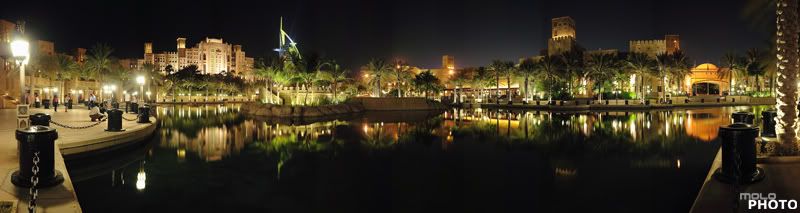 Exif
ExifCamera Model: Canon 400D
Shutter Speed: 10 sec.
Lens Aperture: F/8
ISO: 100
Focal Length: 20mm
Exposure Program: Manual
Tuesday, September 16, 2008
Do I need an 8MP digital camera?
by Ziv Haparnas
If you are on the market for a new digital camera then there is a good chance that you are asking yourself that exact question. Maybe the number of megapixels that you are considering is different. Do you really need a 16MP digital camera? 8MP? 6MP? This article tries to help you answering this question.
New digital camera models that are put on the market support more and more megapixels. This race for more megapixels is in part driven by manufacturers who want you to buy their newest and greatest digital camera and the easiest way for them to make you compare cameras is by using one simple number - megapixels - the higher the better or at least this is what they want you to think.
But reality is different. When it comes to megapixels more is not necessarily better. Since most of us have a limited budget that we are willing to spend on a digital camera spending more money to get more megapixels means spending less on other features or accessories such as storage and lenses. The overall quality of your photography experience is dependent on such extra features.
When deciding on the number of megapixels that you need you should first consider what your expected usage is. You need more megapixels if you plan to print photos (especially big enlargements) or if you need to zoom in and grab fine details out of big digital photos. On the other hand you do not need much if you plan to watch your digital photos on your computer screen and occasionally print a few 4X6 prints. In fact 2 megapixels are more than enough for such usage. Consider your computer screen resolution which is in most cases 1024X768 - even when viewing your digital photos in full screen mode you are only really watching 1024X768 < 1 megapixels. A 2 megapixels 4X6 photo print has a DPI higher than 300 which is more than enough for a good quality print. If you plan to print enlargements consider the following table for the recommended number of megapixels for different print sizes (based on print quality of about 300 DPI):
page 4X6 2MP
page 5X7 3MP
page 8X10 7MP
page 11X14 14MP
page 16X20 28MP
page 20X30 54MP
When considering spending more of your digital camera budget on getting more megapixels you should ask yourself questions like: should I instead get better lenses? Should I instead get an external flash unit? Should I instead get extra storage media?
Don't be a victim of the megapixels race. In many ways the race for more megapixels is similar to the race for more megahertz on personal computers. In early days when computers speeds were slow - more megahertz was important. Today though having a 4Ghz or 5Ghz computer does not make a difference and you are better off spending more money on more memory than more megahertz. The same is true with megapixels in early digital cameras days the number of megapixels was low and it was important to get more. Today with most cameras having a high number of megapixels it is probably wiser to get better lenses or more storage than upgrading from 8MP to 10MP.
About the Author
Mr. Haparnas writes about practical technology issues. This article can be reprinted as long as the resource box including the backlink is included. Ziv Haparnas is a technology veteran. You can find more information on digital photo printing and photography in general on printrates.com - a site dedicated to Sony and photo prints
Disclamer:
The opinions expressed by authors in this blog are their own and in no way represent the opinions of the owner and or administrator of molophoto blog. Molophoto bears no responsibility for any opinion expressed by any contributing author and or article.
If you are on the market for a new digital camera then there is a good chance that you are asking yourself that exact question. Maybe the number of megapixels that you are considering is different. Do you really need a 16MP digital camera? 8MP? 6MP? This article tries to help you answering this question.
New digital camera models that are put on the market support more and more megapixels. This race for more megapixels is in part driven by manufacturers who want you to buy their newest and greatest digital camera and the easiest way for them to make you compare cameras is by using one simple number - megapixels - the higher the better or at least this is what they want you to think.
But reality is different. When it comes to megapixels more is not necessarily better. Since most of us have a limited budget that we are willing to spend on a digital camera spending more money to get more megapixels means spending less on other features or accessories such as storage and lenses. The overall quality of your photography experience is dependent on such extra features.
When deciding on the number of megapixels that you need you should first consider what your expected usage is. You need more megapixels if you plan to print photos (especially big enlargements) or if you need to zoom in and grab fine details out of big digital photos. On the other hand you do not need much if you plan to watch your digital photos on your computer screen and occasionally print a few 4X6 prints. In fact 2 megapixels are more than enough for such usage. Consider your computer screen resolution which is in most cases 1024X768 - even when viewing your digital photos in full screen mode you are only really watching 1024X768 < 1 megapixels. A 2 megapixels 4X6 photo print has a DPI higher than 300 which is more than enough for a good quality print. If you plan to print enlargements consider the following table for the recommended number of megapixels for different print sizes (based on print quality of about 300 DPI):
page 4X6 2MP
page 5X7 3MP
page 8X10 7MP
page 11X14 14MP
page 16X20 28MP
page 20X30 54MP
When considering spending more of your digital camera budget on getting more megapixels you should ask yourself questions like: should I instead get better lenses? Should I instead get an external flash unit? Should I instead get extra storage media?
Don't be a victim of the megapixels race. In many ways the race for more megapixels is similar to the race for more megahertz on personal computers. In early days when computers speeds were slow - more megahertz was important. Today though having a 4Ghz or 5Ghz computer does not make a difference and you are better off spending more money on more memory than more megahertz. The same is true with megapixels in early digital cameras days the number of megapixels was low and it was important to get more. Today with most cameras having a high number of megapixels it is probably wiser to get better lenses or more storage than upgrading from 8MP to 10MP.
About the Author
Mr. Haparnas writes about practical technology issues. This article can be reprinted as long as the resource box including the backlink is included. Ziv Haparnas is a technology veteran. You can find more information on digital photo printing and photography in general on printrates.com - a site dedicated to Sony and photo prints
Disclamer:
The opinions expressed by authors in this blog are their own and in no way represent the opinions of the owner and or administrator of molophoto blog. Molophoto bears no responsibility for any opinion expressed by any contributing author and or article.
Monday, September 15, 2008
burj al arab series 1 of 3
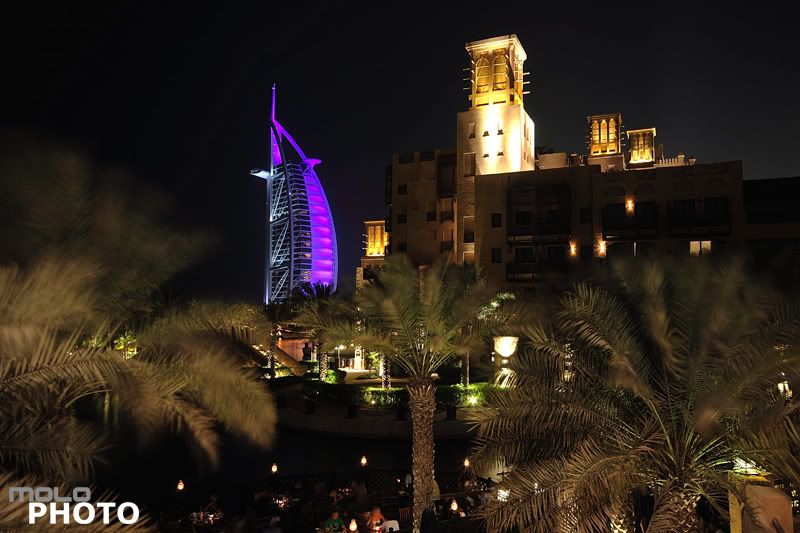
Exif
Camera Model: Canon 400D
Shutter Speed: 10 sec.
Lens Aperture: F/8
ISO: 100
Focal Length: 16mm
Exposure Program: Manual
Sunday, September 14, 2008
Digital Photography -- Fast Food Memories
by Caitlin Moore
A quick search in Google or one of the other search engines can easily yield dozens of images from everyday life, snapped on camera phones, small pocket-sized digital cameras, or high-end digital SLR's. In many cases, camera phone images are so blurry as to be of little value, but they abound in the wide world of the Internet, and as small portable imagery devices get into more and more hands, the sheer volume of electronic images just continues to increase.
Some people ask the question of whether the digital photography revolution is necessarily a good thing. It is easier, faster and cheaper than ever before to capture memorable moments for later viewing. Because of this, digital photos often feel more "real" than traditional film-based images, as dozens or hundreds of images can be snapped continuously at no cost without interrupting the flow of a moment in order to have participants re-create it "for a picture".
Because of this essential freedom to review, arrange, and remove unwanted images, we are far more generous with our shutters than was generally the case with more expensive film-based methods of image capture. Because of inexpensive storage however, many people never bother to remove most unnecessary images, resulting in bloated virtual albums with duplicates, accidental pictures of thumbs, uninspiring shots of brick walls, pavement, and more.
However, because of this essentially greater freedom to snap, some make the argument that many of our images have less value. This is tricky territory, however – who's to say that a plastic bag lying on the sidewalk isn't lovely, or that an overexposed picture of Fluffy the dog isn't artistic or as valuable as a more traditional family photo? In the end, there's not much point arguing about taste.
One thing is certain, though – as more and more cameras find their way into more hands, the numbers of images available on line are sure to continue to multiply – and whether good, bad, or ugly, each of these images has meaning for someone. And when you get down to it, individual freedom is one thing we can all likely agree on.
About the Author
Caitlin Moore is an avid photographer, and one the editors of dpdigest.com – an informative website dedicated to digital photography, with extensive information about digital storage devices, camera accessories, lighting kits and more.
Disclamer:
The opinions expressed by authors in this blog are their own and in no way represent the opinions of the owner and or administrator of molophoto blog. Molophoto bears no responsibility for any opinion expressed by any contributing author and or article.
A quick search in Google or one of the other search engines can easily yield dozens of images from everyday life, snapped on camera phones, small pocket-sized digital cameras, or high-end digital SLR's. In many cases, camera phone images are so blurry as to be of little value, but they abound in the wide world of the Internet, and as small portable imagery devices get into more and more hands, the sheer volume of electronic images just continues to increase.
Some people ask the question of whether the digital photography revolution is necessarily a good thing. It is easier, faster and cheaper than ever before to capture memorable moments for later viewing. Because of this, digital photos often feel more "real" than traditional film-based images, as dozens or hundreds of images can be snapped continuously at no cost without interrupting the flow of a moment in order to have participants re-create it "for a picture".
Because of this essential freedom to review, arrange, and remove unwanted images, we are far more generous with our shutters than was generally the case with more expensive film-based methods of image capture. Because of inexpensive storage however, many people never bother to remove most unnecessary images, resulting in bloated virtual albums with duplicates, accidental pictures of thumbs, uninspiring shots of brick walls, pavement, and more.
However, because of this essentially greater freedom to snap, some make the argument that many of our images have less value. This is tricky territory, however – who's to say that a plastic bag lying on the sidewalk isn't lovely, or that an overexposed picture of Fluffy the dog isn't artistic or as valuable as a more traditional family photo? In the end, there's not much point arguing about taste.
One thing is certain, though – as more and more cameras find their way into more hands, the numbers of images available on line are sure to continue to multiply – and whether good, bad, or ugly, each of these images has meaning for someone. And when you get down to it, individual freedom is one thing we can all likely agree on.
About the Author
Caitlin Moore is an avid photographer, and one the editors of dpdigest.com – an informative website dedicated to digital photography, with extensive information about digital storage devices, camera accessories, lighting kits and more.
Disclamer:
The opinions expressed by authors in this blog are their own and in no way represent the opinions of the owner and or administrator of molophoto blog. Molophoto bears no responsibility for any opinion expressed by any contributing author and or article.
Friday, September 12, 2008
Digital photo frames and what to look for when buying one
by Ziv Haparnas
Digital photo frames are new products that replace old paper photo frames in displaying your photos on a desk, on a shelf or on a wall. This article explains what digital frames are, how you can use them and what you should look for when buying one.
Digital photo frames are a good solution if you do not want to display your photos solely on your computer or on paper prints. Digital photo frames are an LCD screen with some electronics behind it that allows you to load photos and display them. Their design mimics old paper prints photo frames. Digital photo frames are thin devices and are designed to be placed on a desk, hung on a wall or put on a shelf.
The price of digital photo frames varies and is mostly driven by their LCD screen size and quality. The cheapest ones start at around $50 and the expensive ones run in the hundreds of dollars or more. There are other features that influence both price and performance. Here are some features to consider when buying a digital photo frame:
LCD size, resolution and brightness: The most important component of any digital photo frame is its LCD screen. The main purpose of a digital photo frame is to display photos and the LCD screen is the component that does that. Decide what LCD size you need based on the distance from which you will be viewing the photos. Check what the LCD resolution is and what the maximum brightness it supports. Brightness is extremely important if you plan to use the frame in an environment that is well lit � for example on your desk in an office that has big windows and a lot of sun light.
Placement options: Make sure that the digital photo frame can be placed where planned. For example if you plan to put it on your desk make sure that it has the appropriate support for that and that it will be stable and in the angle you want. If you plan to hang it on a wall � make sure that the frame was designed for that and that it has the right accessories.
Memory: Most digital photo frames do not have any built-in memory. Instead they rely on external memory cards that are plugged into a special slot. Check what memory card types are supported by the digital photo frame. Usually you would prefer that the card supported will be the same type as the card you are already using with your digital camera.
Remote control: Some digital photo frames come with a remote control that enables you to remotely change the displayed photo, start a slide show and more. A remote control is important if you plan to control the frame often (for example plan to switch photos manually as opposed to a constant photo slide show) and if you plan to place the photo frame far from where you are (for example if the frame is on your desk right next to you a remote control is not needed but if it is hung on a wall a remote control can be useful).
PC connection: Most digital photo frames can be connected to a computer. This can be useful if you want to load photos from a photo album on your computer hard disk. It is much easier to use a computer in order to choose the photos to display. The PC connection is usually done using a USB cable � although some newer photo frame models support wireless LAN (also known as Wi-Fi or 802.11). A PC connection is a good feature if you plan to load photos often. Wireless support is more expensive and you should choose a frame that supports wireless only of its location is going to be far from the computer and a cable connection will not be convenient � for example if your digital photo frame is permanently hung on a wall a wireless connection is much easier to use than a USB cable.
Non photo features: Digital photo frames include a micro computer that implements photo display logic. Manufacturers found out that with some software changes and minimal added cost they could support more features that really had nothing to do with displaying photos. Examples of such features are: MP3 player, video playback and TV tuner. It is nice to have those added features but it is not a good idea to make your buying decision based on them. Digital frames are usually not the optimal device to play music or videos (for many reasons such as that they are usually located in the wrong place for that, they have low quality speakers and, acoustic and their screen is too small). It is better focus on the basic photo display features such as LCD size, brightness and resolution and only if these are satisfactory to check what other features are available.
Before you buy your digital photo frame take a moment to figure out how you will use it and what your expectations are. Digital photo frames are great products but they do have limitations. Choosing the right digital photo frame and having it on your desk rotating slowly through your photo album is a great experience � one that you could not have before the digital photography days.
About the Author
Mr. Haparnas writes about practical technology issues. This article can be reprinted only if the resource box including the backlink is included. Information about photography and photo prints is on printrates.com - your home for digital prints
Disclamer:
The opinions expressed by authors in this blog are their own and in no way represent the opinions of the owner and or administrator of molophoto blog. Molophoto bears no responsibility for any opinion expressed by any contributing author and or article.
Digital photo frames are new products that replace old paper photo frames in displaying your photos on a desk, on a shelf or on a wall. This article explains what digital frames are, how you can use them and what you should look for when buying one.
Digital photo frames are a good solution if you do not want to display your photos solely on your computer or on paper prints. Digital photo frames are an LCD screen with some electronics behind it that allows you to load photos and display them. Their design mimics old paper prints photo frames. Digital photo frames are thin devices and are designed to be placed on a desk, hung on a wall or put on a shelf.
The price of digital photo frames varies and is mostly driven by their LCD screen size and quality. The cheapest ones start at around $50 and the expensive ones run in the hundreds of dollars or more. There are other features that influence both price and performance. Here are some features to consider when buying a digital photo frame:
LCD size, resolution and brightness: The most important component of any digital photo frame is its LCD screen. The main purpose of a digital photo frame is to display photos and the LCD screen is the component that does that. Decide what LCD size you need based on the distance from which you will be viewing the photos. Check what the LCD resolution is and what the maximum brightness it supports. Brightness is extremely important if you plan to use the frame in an environment that is well lit � for example on your desk in an office that has big windows and a lot of sun light.
Placement options: Make sure that the digital photo frame can be placed where planned. For example if you plan to put it on your desk make sure that it has the appropriate support for that and that it will be stable and in the angle you want. If you plan to hang it on a wall � make sure that the frame was designed for that and that it has the right accessories.
Memory: Most digital photo frames do not have any built-in memory. Instead they rely on external memory cards that are plugged into a special slot. Check what memory card types are supported by the digital photo frame. Usually you would prefer that the card supported will be the same type as the card you are already using with your digital camera.
Remote control: Some digital photo frames come with a remote control that enables you to remotely change the displayed photo, start a slide show and more. A remote control is important if you plan to control the frame often (for example plan to switch photos manually as opposed to a constant photo slide show) and if you plan to place the photo frame far from where you are (for example if the frame is on your desk right next to you a remote control is not needed but if it is hung on a wall a remote control can be useful).
PC connection: Most digital photo frames can be connected to a computer. This can be useful if you want to load photos from a photo album on your computer hard disk. It is much easier to use a computer in order to choose the photos to display. The PC connection is usually done using a USB cable � although some newer photo frame models support wireless LAN (also known as Wi-Fi or 802.11). A PC connection is a good feature if you plan to load photos often. Wireless support is more expensive and you should choose a frame that supports wireless only of its location is going to be far from the computer and a cable connection will not be convenient � for example if your digital photo frame is permanently hung on a wall a wireless connection is much easier to use than a USB cable.
Non photo features: Digital photo frames include a micro computer that implements photo display logic. Manufacturers found out that with some software changes and minimal added cost they could support more features that really had nothing to do with displaying photos. Examples of such features are: MP3 player, video playback and TV tuner. It is nice to have those added features but it is not a good idea to make your buying decision based on them. Digital frames are usually not the optimal device to play music or videos (for many reasons such as that they are usually located in the wrong place for that, they have low quality speakers and, acoustic and their screen is too small). It is better focus on the basic photo display features such as LCD size, brightness and resolution and only if these are satisfactory to check what other features are available.
Before you buy your digital photo frame take a moment to figure out how you will use it and what your expectations are. Digital photo frames are great products but they do have limitations. Choosing the right digital photo frame and having it on your desk rotating slowly through your photo album is a great experience � one that you could not have before the digital photography days.
About the Author
Mr. Haparnas writes about practical technology issues. This article can be reprinted only if the resource box including the backlink is included. Information about photography and photo prints is on printrates.com - your home for digital prints
Disclamer:
The opinions expressed by authors in this blog are their own and in no way represent the opinions of the owner and or administrator of molophoto blog. Molophoto bears no responsibility for any opinion expressed by any contributing author and or article.
Wednesday, September 10, 2008
Digital Noise - What Is It? What Causes It? And How Can I Get Rid Of It?
by Ziv Haparnas
Digital noise in photos taken with digital cameras is random pixels scattered all over the photo. It is a similar effect as "grain" in film photography and it degrades the photo quality.
Digital noise usually occurs when you take low light photos (such as night photos or indoor dark scenes) or you use very slow shutter speeds or very high sensitivity modes.
When taking pictures with a digital camera an electronic sensor (also known as a CCD) built from many tiny pixels is used to measure the light for each pixel. The result is a matrix of pixels that represent the photo.
As with any other electronic sensor the CCD is not perfect and includes some noise (also know as white noise to hint on its randomness attribute). In most lighting the light is significantly stronger than the noise. However in extreme scenes where the light is very low or when a high amplification is needed noise levels can become significant and result in pixels in the photos that include more noise data than real photo light data. Those pixels usually appear as random dots or stains on the photo (for example white dots scattered randomly on the photo).
Understanding digital noise in various scenes:
low light (night photos or dark scenes): when the scene is dark the amount of light measured by each pixel of the CCD is low. When the light intensity is very low it can become too close to the level of noise naturally found in the CCD. In such cases some pixels can appear as noise because the noise level measured for them is significantly close or higher than the actual light intensity.
slow shutter speeds: when the shutter is kept open for a long time more noise will be introduced to the photo. A slow shutter speed translates to the CCD integrating more light per pixel. The effect can be easily understood as the CCD "accumulating" light in each pixel and measuring the total light over the shutter period of time. However at the same time the CCD is also "accumulating" noise. For that reason in slow shutter speed photos some pixels will appear as noise because for these pixels the amount of noise integrated is significantly close to or higher than the actual light measured.
high sensitivity modes: high sensitivity in digital photography is implemented by mechanisms that result in amplification. The CCD amplifies the measurements it takes. However there is no way to just amplify the actual photo light that falls on the CCD pixels instead the noise and the actual light are both amplified. The result is that the CCD becomes sensitive not only to light but also to its own noise. When too much amplification is applied some pixels will appear as noise.
While it is impossible to completely prevent digital noise there are a few options that allow you to significantly decrease it. When taking photos in low light scenarios such as night photos there are two main parameters to play with: sensitivity and shutter speed. Raising sensitivity creates more internal noise in the CCD while slowing down the shutter allows for more noise to integrate on the CCD. The amount of noise generated by both parameters is different. It is recommended that you set your camera to manual mode and play with a few different sensitivity/shutter speed pairs to find out the one that generates the least noise.
Some cameras include a built-in feature called "noise reduction". Noise reduction is implemented by sophisticated software that can identify the noise pixels and remove them. For example the software can identify the noise pixels based on their randomness and usually extreme intensity gap between them and their neighboring pixels. Removing the noise can be implemented by interpolating a replacement pixel value based on its neighboring pixels.
If you do not have a built-in noise reduction feature or it does not work properly you can use a PC based software that removes digital noise. Many photo processing software include a combination of automatic and manual digital noise removal. Some software packages can also use a few photos of the same object to "average" them and thus remove the noise (relying on the fact that digital noise is random and the noise pixels will be different in each photo taken).
To conclude digital noise should be understood by any amateur or professional photographer. However for most photographers digital noise is not a practical problem even in low light scenarios usually digital noise is minimal and can be significantly reduced by simply turning on your camera's noise reduction feature. For professional photographers who shoot in more extreme conditions digital noise can present a real problem and can be dealt with using a combination of optimizing the camera settings and removing noise with professional software.
About the Author
More information on digital photo printing and photography is available on printrates.com - a site about photo printing Mr. Haparnas writes about practical technology and science issues. This article can be published only if the resource box including the backlink is included. Ziv Haparnas is a technology expoert.
Disclamer:
The opinions expressed by authors in this blog are their own and in no way represent the opinions of the owner and or administrator of molophoto blog. Molophoto bears no responsibility for any opinion expressed by any contributing author and or article.
Digital noise in photos taken with digital cameras is random pixels scattered all over the photo. It is a similar effect as "grain" in film photography and it degrades the photo quality.
Digital noise usually occurs when you take low light photos (such as night photos or indoor dark scenes) or you use very slow shutter speeds or very high sensitivity modes.
When taking pictures with a digital camera an electronic sensor (also known as a CCD) built from many tiny pixels is used to measure the light for each pixel. The result is a matrix of pixels that represent the photo.
As with any other electronic sensor the CCD is not perfect and includes some noise (also know as white noise to hint on its randomness attribute). In most lighting the light is significantly stronger than the noise. However in extreme scenes where the light is very low or when a high amplification is needed noise levels can become significant and result in pixels in the photos that include more noise data than real photo light data. Those pixels usually appear as random dots or stains on the photo (for example white dots scattered randomly on the photo).
Understanding digital noise in various scenes:
low light (night photos or dark scenes): when the scene is dark the amount of light measured by each pixel of the CCD is low. When the light intensity is very low it can become too close to the level of noise naturally found in the CCD. In such cases some pixels can appear as noise because the noise level measured for them is significantly close or higher than the actual light intensity.
slow shutter speeds: when the shutter is kept open for a long time more noise will be introduced to the photo. A slow shutter speed translates to the CCD integrating more light per pixel. The effect can be easily understood as the CCD "accumulating" light in each pixel and measuring the total light over the shutter period of time. However at the same time the CCD is also "accumulating" noise. For that reason in slow shutter speed photos some pixels will appear as noise because for these pixels the amount of noise integrated is significantly close to or higher than the actual light measured.
high sensitivity modes: high sensitivity in digital photography is implemented by mechanisms that result in amplification. The CCD amplifies the measurements it takes. However there is no way to just amplify the actual photo light that falls on the CCD pixels instead the noise and the actual light are both amplified. The result is that the CCD becomes sensitive not only to light but also to its own noise. When too much amplification is applied some pixels will appear as noise.
While it is impossible to completely prevent digital noise there are a few options that allow you to significantly decrease it. When taking photos in low light scenarios such as night photos there are two main parameters to play with: sensitivity and shutter speed. Raising sensitivity creates more internal noise in the CCD while slowing down the shutter allows for more noise to integrate on the CCD. The amount of noise generated by both parameters is different. It is recommended that you set your camera to manual mode and play with a few different sensitivity/shutter speed pairs to find out the one that generates the least noise.
Some cameras include a built-in feature called "noise reduction". Noise reduction is implemented by sophisticated software that can identify the noise pixels and remove them. For example the software can identify the noise pixels based on their randomness and usually extreme intensity gap between them and their neighboring pixels. Removing the noise can be implemented by interpolating a replacement pixel value based on its neighboring pixels.
If you do not have a built-in noise reduction feature or it does not work properly you can use a PC based software that removes digital noise. Many photo processing software include a combination of automatic and manual digital noise removal. Some software packages can also use a few photos of the same object to "average" them and thus remove the noise (relying on the fact that digital noise is random and the noise pixels will be different in each photo taken).
To conclude digital noise should be understood by any amateur or professional photographer. However for most photographers digital noise is not a practical problem even in low light scenarios usually digital noise is minimal and can be significantly reduced by simply turning on your camera's noise reduction feature. For professional photographers who shoot in more extreme conditions digital noise can present a real problem and can be dealt with using a combination of optimizing the camera settings and removing noise with professional software.
About the Author
More information on digital photo printing and photography is available on printrates.com - a site about photo printing Mr. Haparnas writes about practical technology and science issues. This article can be published only if the resource box including the backlink is included. Ziv Haparnas is a technology expoert.
Disclamer:
The opinions expressed by authors in this blog are their own and in no way represent the opinions of the owner and or administrator of molophoto blog. Molophoto bears no responsibility for any opinion expressed by any contributing author and or article.
Monday, September 8, 2008
Creating a digital photo inventory of your house or office
by Ziv Haparnas
There are many reasons to keep an updated and complete inventory of your home or office. One reason is for easier insurance claims in cases of disaster, burglary, lost or other damages. This article will give you some tips for effectively creating and keeping such inventory.
The first two steps for creating your inventory are to decide on a method of cataloging your items and to create a list of the items to document. For example you can choose to catalog your items by where they are placed (e.g. by room) or by their type (electrical appliances, paintings, books and more). Choose the system that works best for you. The next step is to create a list of items that you would like to document. The simplest way to do this is by using a piece of paper and a pen. Go over all the items and write down which ones you intend to document. Later on when you take the digital photos make sure to cross out the items as you photograph them.
There are some simple suggestions that you can follow in order to create a better catalog:
Follow good digital photography rules: Inventory digital photos are like any other photos and you should follow the basic photography rules of good lighting, composition and camera settings.
Use the right background: Make sure that you stage the right background for each item. You would want to stage a background that is in contrast with the item. Also make sure that the background is a matte color and that it does not reflect light. For example when taking a photo of a black computer mouse and keyboard use a white or light gray background.
If possible leave items in their original place: It is better to take a good digital photo of an item without moving it from its original place. Sometimes this will not be possible – in such cases take one digital photo of where the items is usually placed – even if this photo is not very good – and then move the item to take some good digital photos.
Take digital photos that prove you own the item: For each item take at least one digital photo that proves that this is indeed an item that you own. For example make sure that your living room is in the photo when taking a digital photo of your TV. Alternatively you can take photos of either you or someone you know with the item.
Take close up digital photos of important details: Take as many digital photos as needed that show specific details of the item that are important to assess its value, to replace it or to convey its importance. For example take close up digital photos of the sticker detailing the model number and brand or take close up digital photos of a signature and copy numbering on an expensive painting.
Use known objects to convey items size: If capturing an item size is important you can use a known size object in order to help future viewers visualize the item's size. For example if you are taking digital photos of an expensive Persian rug you can have someone lie down on the rug or place a measurement meter on it
Use supportive material: When creating an inventory it is better to collect more information than less. If you have supportive documents such as receipts, warranty cards or work orders you can scan them into digital files and save them along with your digital photos. Make sure to name the files in a way that is easy to associate with the corresponding digital photos.
Backup the photos and put them in a safe place: This is probably the most important advice. An inventory is useless if you can not use it at time of need. Make sure that you back up the digital photos (for example on a DVD) and put them in a safe place (usually your home is not a safe place in that regard – put it at a friend or family house). You can make more than one copy to put in multiple places. Another solution is to use one of the many online file archive services
Keep your inventory fresh: Every now and then you will buy a new item or retire an old one. Make sure to take digital photos of the new items and update your inventory.
About the Author
This article can be reprinted only if the resource box including the backlink is included. Ziv Haparnas is an expert in technology. You can find more information on digital photo printing and photography in general on printrates.com - a site dedicated to photo prints Mr. Haparnas writes about practical technology issues.
Disclamer:
The opinions expressed by authors in this blog are their own and in no way represent the opinions of the owner and or administrator of molophoto blog. Molophoto bears no responsibility for any opinion expressed by any contributing author and or article.
There are many reasons to keep an updated and complete inventory of your home or office. One reason is for easier insurance claims in cases of disaster, burglary, lost or other damages. This article will give you some tips for effectively creating and keeping such inventory.
The first two steps for creating your inventory are to decide on a method of cataloging your items and to create a list of the items to document. For example you can choose to catalog your items by where they are placed (e.g. by room) or by their type (electrical appliances, paintings, books and more). Choose the system that works best for you. The next step is to create a list of items that you would like to document. The simplest way to do this is by using a piece of paper and a pen. Go over all the items and write down which ones you intend to document. Later on when you take the digital photos make sure to cross out the items as you photograph them.
There are some simple suggestions that you can follow in order to create a better catalog:
Follow good digital photography rules: Inventory digital photos are like any other photos and you should follow the basic photography rules of good lighting, composition and camera settings.
Use the right background: Make sure that you stage the right background for each item. You would want to stage a background that is in contrast with the item. Also make sure that the background is a matte color and that it does not reflect light. For example when taking a photo of a black computer mouse and keyboard use a white or light gray background.
If possible leave items in their original place: It is better to take a good digital photo of an item without moving it from its original place. Sometimes this will not be possible – in such cases take one digital photo of where the items is usually placed – even if this photo is not very good – and then move the item to take some good digital photos.
Take digital photos that prove you own the item: For each item take at least one digital photo that proves that this is indeed an item that you own. For example make sure that your living room is in the photo when taking a digital photo of your TV. Alternatively you can take photos of either you or someone you know with the item.
Take close up digital photos of important details: Take as many digital photos as needed that show specific details of the item that are important to assess its value, to replace it or to convey its importance. For example take close up digital photos of the sticker detailing the model number and brand or take close up digital photos of a signature and copy numbering on an expensive painting.
Use known objects to convey items size: If capturing an item size is important you can use a known size object in order to help future viewers visualize the item's size. For example if you are taking digital photos of an expensive Persian rug you can have someone lie down on the rug or place a measurement meter on it
Use supportive material: When creating an inventory it is better to collect more information than less. If you have supportive documents such as receipts, warranty cards or work orders you can scan them into digital files and save them along with your digital photos. Make sure to name the files in a way that is easy to associate with the corresponding digital photos.
Backup the photos and put them in a safe place: This is probably the most important advice. An inventory is useless if you can not use it at time of need. Make sure that you back up the digital photos (for example on a DVD) and put them in a safe place (usually your home is not a safe place in that regard – put it at a friend or family house). You can make more than one copy to put in multiple places. Another solution is to use one of the many online file archive services
Keep your inventory fresh: Every now and then you will buy a new item or retire an old one. Make sure to take digital photos of the new items and update your inventory.
About the Author
This article can be reprinted only if the resource box including the backlink is included. Ziv Haparnas is an expert in technology. You can find more information on digital photo printing and photography in general on printrates.com - a site dedicated to photo prints Mr. Haparnas writes about practical technology issues.
Disclamer:
The opinions expressed by authors in this blog are their own and in no way represent the opinions of the owner and or administrator of molophoto blog. Molophoto bears no responsibility for any opinion expressed by any contributing author and or article.
Saturday, September 6, 2008
Candlelight photography - candles in photos basic concepts
by Ziv Haparnas
Candles are a unique light source. Using candlelight to light a scene can result in breathtaking photos. Candlelight temperature is different than flash, daylight or regular bulb light. Using candlelight is hard and requires experience. This article will provide you some basic ideas to start experimenting with.
Candles can be used in a few ways: they can be a light source that lights an object in the photo but not appear in the photo themselves. They can be used as a light source and also participate as an object in the final photo or they can participate as the solo object in the photo (or in other words simply a candles photo).
Remember to eliminate other light sources: The goal of candlelight photos is to achieve an effect that is based on the unique characteristics that candlelight provides such as its warmth. In order to maximize this effect you should make sure that there are no other light sources that contaminate the scene. A simple test for that is to blow off all the candles and make sure that the scene is completely dark. It goes without saying that you should make sure that your digital camera's flash is set to the off position. In some cases a small amount of additional light source can be used. After experimenting and gaining experience with candlelight photography you will get a sense of when allowing some other light to penetrate the scene makes sense and in which angles and intensities.
Candlelight is not as strong as other light sources. It is much weaker than your digital camera's flash. For that reason candlelight photography will almost always result in low light slow shutter speed photography. Although it is recommended that you use a setup in which you maximize the aperture width and minimize the shutter speed it is likely that you will end up having to use slow shutter speeds. There are a few things you need to consider: Camera shakings - these can be eliminated by using a tripod or by placing the camera on a stable surface and using timer photography. Objects movements: if objects move during the period in which the shutter is open the photo will appear smudged. Make sure that the objects you are photographing do not move and that people do not blink. Another movement source is the movement of the light source itself. Candles tend to flicker, although it is hard to completely eliminate this phenomenon and some flicker is actually welcome in order to get a good candlelight effect - it is recommended that you prevent extreme flicker. This can be done for example by making sure that there is no wind blowing in the scene, that the candles are on stable surfaces and that they were lit for a while and burn consistently. Determining the right shutter speed is also hard. Since the candles light is bright on one and but on the other hand is concentrated in a small area and weak once farther from the candle most cameras ambient light measurements and automatic shutter speed settings will be wrong. Using the camera automatic setting is a good start. Try to take a few photos with slower and faster shutter speeds and explore the results.
The amount of light in the scene depends on the number of candles that are used. Since candles are not a strong light source you would usually need to use a few candles. Sometimes you would only like to have a small number of candles appear in the photo itself but you would still need to have more candlelight in the scene. In such cases you can use extra candles to light up the scene but keep those candles out of the composed photo. When you do that, make sure that the additional candles are placed in a way that make sense - for example - that they do not create shades that do not appear not normal in relation to the candles in the photo.
Lighting is an art. Using candlelight as a light source is an art by itself and requires experience. There are some basic rules for candle positioning. For example it is clear that the candles should be closer to the camera than the objects. Otherwise the result will be a silhouette of the objects. Different lighting angles create different shades and different effects. For example if you are photographing a person and the candles are placed in a low position relative to the person's face you will get a more scary effect. On the other hand, if the candles are placed at the same height as the person's face you will get a warmer and softer effect. It is hard to provide candle positioning rules and such positioning greatly depends on the effect that you are looking for. More than one candle can be used with each at a different position to create more complicated effects and to eliminate unwanted shades. The best advice is to take many photos and experiment with different candle positions and angles.
Last but not least is white balancing. Digital cameras can be set to compensate for the specific light source that is used. Although most cameras can automatically detect and set their white balancing offset it is better to manually set the white balance - most cameras include a candlelight source as an white balance option. It is also worth experimenting with setting the white balance to the wrong source on purpose. Set the white balance to different temperatures to achieve different effects, more reddish photos for example.
To conclude, candlelight photography is hard - it requires a lot of experience and understanding of lighting, shutter speeds and other photography issues. On the other hand such experience pays off with breathtaking photos and effects that sometimes appear more like artist paintings than photographs.
About the Author
This article can be reprinted and used as long as the resource box including the backlink is included. Ziv Haparnas is a veteran technologist. Find more on photo printing and photography is on printrates.com - a place about digital prints
Disclamer:
The opinions expressed by authors in this blog are their own and in no way represent the opinions of the owner and or administrator of molophoto blog. Molophoto bears no responsibility for any opinion expressed by any contributing author and or article.
Candles are a unique light source. Using candlelight to light a scene can result in breathtaking photos. Candlelight temperature is different than flash, daylight or regular bulb light. Using candlelight is hard and requires experience. This article will provide you some basic ideas to start experimenting with.
Candles can be used in a few ways: they can be a light source that lights an object in the photo but not appear in the photo themselves. They can be used as a light source and also participate as an object in the final photo or they can participate as the solo object in the photo (or in other words simply a candles photo).
Remember to eliminate other light sources: The goal of candlelight photos is to achieve an effect that is based on the unique characteristics that candlelight provides such as its warmth. In order to maximize this effect you should make sure that there are no other light sources that contaminate the scene. A simple test for that is to blow off all the candles and make sure that the scene is completely dark. It goes without saying that you should make sure that your digital camera's flash is set to the off position. In some cases a small amount of additional light source can be used. After experimenting and gaining experience with candlelight photography you will get a sense of when allowing some other light to penetrate the scene makes sense and in which angles and intensities.
Candlelight is not as strong as other light sources. It is much weaker than your digital camera's flash. For that reason candlelight photography will almost always result in low light slow shutter speed photography. Although it is recommended that you use a setup in which you maximize the aperture width and minimize the shutter speed it is likely that you will end up having to use slow shutter speeds. There are a few things you need to consider: Camera shakings - these can be eliminated by using a tripod or by placing the camera on a stable surface and using timer photography. Objects movements: if objects move during the period in which the shutter is open the photo will appear smudged. Make sure that the objects you are photographing do not move and that people do not blink. Another movement source is the movement of the light source itself. Candles tend to flicker, although it is hard to completely eliminate this phenomenon and some flicker is actually welcome in order to get a good candlelight effect - it is recommended that you prevent extreme flicker. This can be done for example by making sure that there is no wind blowing in the scene, that the candles are on stable surfaces and that they were lit for a while and burn consistently. Determining the right shutter speed is also hard. Since the candles light is bright on one and but on the other hand is concentrated in a small area and weak once farther from the candle most cameras ambient light measurements and automatic shutter speed settings will be wrong. Using the camera automatic setting is a good start. Try to take a few photos with slower and faster shutter speeds and explore the results.
The amount of light in the scene depends on the number of candles that are used. Since candles are not a strong light source you would usually need to use a few candles. Sometimes you would only like to have a small number of candles appear in the photo itself but you would still need to have more candlelight in the scene. In such cases you can use extra candles to light up the scene but keep those candles out of the composed photo. When you do that, make sure that the additional candles are placed in a way that make sense - for example - that they do not create shades that do not appear not normal in relation to the candles in the photo.
Lighting is an art. Using candlelight as a light source is an art by itself and requires experience. There are some basic rules for candle positioning. For example it is clear that the candles should be closer to the camera than the objects. Otherwise the result will be a silhouette of the objects. Different lighting angles create different shades and different effects. For example if you are photographing a person and the candles are placed in a low position relative to the person's face you will get a more scary effect. On the other hand, if the candles are placed at the same height as the person's face you will get a warmer and softer effect. It is hard to provide candle positioning rules and such positioning greatly depends on the effect that you are looking for. More than one candle can be used with each at a different position to create more complicated effects and to eliminate unwanted shades. The best advice is to take many photos and experiment with different candle positions and angles.
Last but not least is white balancing. Digital cameras can be set to compensate for the specific light source that is used. Although most cameras can automatically detect and set their white balancing offset it is better to manually set the white balance - most cameras include a candlelight source as an white balance option. It is also worth experimenting with setting the white balance to the wrong source on purpose. Set the white balance to different temperatures to achieve different effects, more reddish photos for example.
To conclude, candlelight photography is hard - it requires a lot of experience and understanding of lighting, shutter speeds and other photography issues. On the other hand such experience pays off with breathtaking photos and effects that sometimes appear more like artist paintings than photographs.
About the Author
This article can be reprinted and used as long as the resource box including the backlink is included. Ziv Haparnas is a veteran technologist. Find more on photo printing and photography is on printrates.com - a place about digital prints
Disclamer:
The opinions expressed by authors in this blog are their own and in no way represent the opinions of the owner and or administrator of molophoto blog. Molophoto bears no responsibility for any opinion expressed by any contributing author and or article.
Thursday, September 4, 2008
Can I make money out of my digital photos?
by Ziv Haparnas
Many ask this question. The answer is that most likely you can – but the amount of money you can make varies a lot and it depends on the uniqueness of your photos, their quality and your selling abilities. Here are a few hints and concepts when it comes to making money from your photos.
First of all you need to set expectations as to how much money you can make. This article is for readers that are looking to make some extra cash from their photos not looking to turn their photos into their main stream of cash. Such extra cash can be used for example to cover the spending on their photography hobby or selling photos can just be a fun experience.
One thing you can try to do with your photos is to sell them online. There are many websites that let you sell photos. The basic idea behind most of them is simple: they let you upload your photos, showcase them and set their prices. The site users can browse through your photos and purchase the ones they like. Addition features allow users to write comments about your photos. This is a fun way to get feedback from viewers and to connect to new people with the same interests as yours. Some of these sites are free to use and only collect a commission from the proceeds. Other sites charge a setup fee or a membership fee. Examples of such sites are: www.photostockplus.com and www.smugmug.com
In addition some sites allow you to set two prices: one is for a non exclusive right to use the photo – this is the price someone pays to download the photo and use it – while others can download the same photo and use it too. An exclusive price is usually much higher and means that once a user buys the exclusive usage rights for the photo you can not sell it to anyone else (or use it yourself). Once a photo is sold under the 'non exclusive" option – it can not be exclusively purchased.
You can also decide to build your own website to either sell your photo on it or make money from advertisement on the site. If your photos are unique and can attract viewers you can create a blog or a site with your photos alongside with some text describing them and the story behind taking them. Spread the word about your site to your friends and family and post information about it in forums and chat boards. Once you generate traffic add advertisements to your site. To create your site you can use tools such as www.blogger.com and www.typepad.com. To place advertisements you can use advertisement syndication networks like www.google.com/adsense and publisher.yahoo.com.
Another more conventional method is to sell your photos in coffee shops and galleries. It requires more legwork and a more significant upfront investment. Print and frame a few of your best photos. Go to local galleries and try to convince them to showcase your photos. It is best to start with just a few prints to minimize both your risk and the risk the gallery takes. Another option which can work better for amateur photographers is to visit coffee shops and restaurants and convince them to hang the photos on their walls. It is very common today for such places to hang "photographs for sale" on their walls. This is a win-win option for both the coffee shop or restaurant and you. They get high quality free photos and provide their customers with an extra service buying photos that they really like. You get free exposure while most often only paying a commission from the proceeds.
Copyright is one issue you should consider when selling or posting your photos online. Copyright laws vary from state to state and country to country. Make sure that you check beforehand that you do have the rights to sell or post your photos online.
About the Author
Ziv Haparnas is a veteran technologist. Information about photography and photo prints is on printrates.com - your home for digital prints This article can be reprinted only if the resource box including the backlink is included. Mr. Haparnas writes about technology and digital photography.
Disclamer:
The opinions expressed by authors in this blog are their own and in no way represent the opinions of the owner and or administrator of molophoto blog. Molophoto bears no responsibility for any opinion expressed by any contributing author and or article.
Many ask this question. The answer is that most likely you can – but the amount of money you can make varies a lot and it depends on the uniqueness of your photos, their quality and your selling abilities. Here are a few hints and concepts when it comes to making money from your photos.
First of all you need to set expectations as to how much money you can make. This article is for readers that are looking to make some extra cash from their photos not looking to turn their photos into their main stream of cash. Such extra cash can be used for example to cover the spending on their photography hobby or selling photos can just be a fun experience.
One thing you can try to do with your photos is to sell them online. There are many websites that let you sell photos. The basic idea behind most of them is simple: they let you upload your photos, showcase them and set their prices. The site users can browse through your photos and purchase the ones they like. Addition features allow users to write comments about your photos. This is a fun way to get feedback from viewers and to connect to new people with the same interests as yours. Some of these sites are free to use and only collect a commission from the proceeds. Other sites charge a setup fee or a membership fee. Examples of such sites are: www.photostockplus.com and www.smugmug.com
In addition some sites allow you to set two prices: one is for a non exclusive right to use the photo – this is the price someone pays to download the photo and use it – while others can download the same photo and use it too. An exclusive price is usually much higher and means that once a user buys the exclusive usage rights for the photo you can not sell it to anyone else (or use it yourself). Once a photo is sold under the 'non exclusive" option – it can not be exclusively purchased.
You can also decide to build your own website to either sell your photo on it or make money from advertisement on the site. If your photos are unique and can attract viewers you can create a blog or a site with your photos alongside with some text describing them and the story behind taking them. Spread the word about your site to your friends and family and post information about it in forums and chat boards. Once you generate traffic add advertisements to your site. To create your site you can use tools such as www.blogger.com and www.typepad.com. To place advertisements you can use advertisement syndication networks like www.google.com/adsense and publisher.yahoo.com.
Another more conventional method is to sell your photos in coffee shops and galleries. It requires more legwork and a more significant upfront investment. Print and frame a few of your best photos. Go to local galleries and try to convince them to showcase your photos. It is best to start with just a few prints to minimize both your risk and the risk the gallery takes. Another option which can work better for amateur photographers is to visit coffee shops and restaurants and convince them to hang the photos on their walls. It is very common today for such places to hang "photographs for sale" on their walls. This is a win-win option for both the coffee shop or restaurant and you. They get high quality free photos and provide their customers with an extra service buying photos that they really like. You get free exposure while most often only paying a commission from the proceeds.
Copyright is one issue you should consider when selling or posting your photos online. Copyright laws vary from state to state and country to country. Make sure that you check beforehand that you do have the rights to sell or post your photos online.
About the Author
Ziv Haparnas is a veteran technologist. Information about photography and photo prints is on printrates.com - your home for digital prints This article can be reprinted only if the resource box including the backlink is included. Mr. Haparnas writes about technology and digital photography.
Disclamer:
The opinions expressed by authors in this blog are their own and in no way represent the opinions of the owner and or administrator of molophoto blog. Molophoto bears no responsibility for any opinion expressed by any contributing author and or article.
Wednesday, September 3, 2008
dhow

Exif
Camera Model: Canon 400D
Shutter Speed: 1/125 sec.
Lens Aperture: F/4.5
ISO: 100
Focal Length: 35mm
Exposure Program: Manual
Tuesday, September 2, 2008
Basic understanding of your digital camera flash
by Ziv Haparnas
Many of us do not think twice about the usage of our digital camera's flash assuming that the camera will use the flash automatically as needed. Flash however can and should be manually set in many scenarios resulting in high quality digital photos.
The most common usage of flash photography is when there is not enough ambient light for example when taking an indoor digital photo in a dark room. There are many other ways in which you can use your digital camera's flash to get high quality digital photos. One such usage is fill-in flash.
Before setting your flash to manual mode and making more efficient usage of it you should know a bit more of the technology and history behind flash photography. Flash photography has been around for more than a century. During the early days of photography flash was implemented as a powder that was literally lit by either fire or electrical current. At that time flash photography was a risky business. Digital cameras today use a safe implementation by utilizing electronic flash tubes that are automatically synchronized with the camera's shutter.
You have two options for using flash with your digital camera. The first option is using the digital camera internal flash. Practically all digital cameras have build-in flash units. Most cameras also allow the usage of an external flash unit. Such flash units can be either mechanically attached to the digital camera or they can be connected to the camera via a cable and mechanically positioned on a tripod or any other mechanism. They are synchronized and controlled by the digital camera. External flash units vary in price and features. They can have different maximum light energy that they can emit and different mechanical capabilities (tilting, skewing).
In automatic flash mode the camera sensors evaluate the amount of ambient light in the scene. The digital camera fires the flash if the amount of ambient light is not high enough. There are limitations to the cameras automatic sensors resulting in either firing the flash when it was not needed or vice versa.
In some scenarios the usage of flash can result in poor digital photos. For example when the object is too close to the digital camera the flash light will be too strong and will wash out the object. Another example is in scenarios where the flash creates unwanted shadows in the digital photo. Yet another example is exaggeration of details such as when shooting a digital photo of an older person the skin wrinkles and imperfections details can be overly detailed.
Digital camera's flash units have a certain effective range. This is a limitation of how much light energy the flash unit can emit. Internal flash units usually have shorter range than external flash units. If the object in the photo is outside of the flash range – the flash will not be effective and the object will be dark. On the other hand if the object is too close to the flash unit or the flash unit emits too much energy the object will be washed out. If your object is outside of your flash unit effective range you should turn off the flash and use slow shutter photography preferably with a tripod or another stabilizing mechanism. If your flash units allows the setting of the light energy that will be fired (usually by setting the distance to the object) – make sure that it is set right to prevent washed out objects.
In some scenarios there will be enough ambient light to take a digital photo but without the usage of the flash the digital photo quality will be very poor. In such scenario if the camera is left on automatic flash mode it will not fire the flash. For example daytime photography with an object that is shadowed. If the object is wearing a hat it can create shades on the object's face or when the object is lit from the side the object's nose can create shades too. Putting the flash in manual fill-in mode will force the flash to fire. The flash will lit those shadowed areas and prevent the shades in the final digital photo. The object of course must be in effective flash range. Another example is an object that is lit from behind such as when taking a digital photo of an object against a sunset. Without a fill-in flash the photo will likely be just a dark silhouette of the object.
These were some basic concepts behind flash usage. There are many other advanced options for your digital camera flash. For example bounce flash can result in great digital photos – in that mode instead of pointing the flash directly at the object it is pointed to some reflecting surface like a wall or a special reflector. The result is more natural light and color rich digital photos.
About the Author
Mr. Haparnas writes about technology and digital photography. Ziv Haparnas is a technology expoert. Information about photography and photo prints is on printrates.com - your home for digital photo printing This article can be published and used as long as the resource box including the backlink is included.
Disclamer:
The opinions expressed by authors in this blog are their own and in no way represent the opinions of the owner and or administrator of molophoto blog. Molophoto bears no responsibility for any opinion expressed by any contributing author and or article.
Many of us do not think twice about the usage of our digital camera's flash assuming that the camera will use the flash automatically as needed. Flash however can and should be manually set in many scenarios resulting in high quality digital photos.
The most common usage of flash photography is when there is not enough ambient light for example when taking an indoor digital photo in a dark room. There are many other ways in which you can use your digital camera's flash to get high quality digital photos. One such usage is fill-in flash.
Before setting your flash to manual mode and making more efficient usage of it you should know a bit more of the technology and history behind flash photography. Flash photography has been around for more than a century. During the early days of photography flash was implemented as a powder that was literally lit by either fire or electrical current. At that time flash photography was a risky business. Digital cameras today use a safe implementation by utilizing electronic flash tubes that are automatically synchronized with the camera's shutter.
You have two options for using flash with your digital camera. The first option is using the digital camera internal flash. Practically all digital cameras have build-in flash units. Most cameras also allow the usage of an external flash unit. Such flash units can be either mechanically attached to the digital camera or they can be connected to the camera via a cable and mechanically positioned on a tripod or any other mechanism. They are synchronized and controlled by the digital camera. External flash units vary in price and features. They can have different maximum light energy that they can emit and different mechanical capabilities (tilting, skewing).
In automatic flash mode the camera sensors evaluate the amount of ambient light in the scene. The digital camera fires the flash if the amount of ambient light is not high enough. There are limitations to the cameras automatic sensors resulting in either firing the flash when it was not needed or vice versa.
In some scenarios the usage of flash can result in poor digital photos. For example when the object is too close to the digital camera the flash light will be too strong and will wash out the object. Another example is in scenarios where the flash creates unwanted shadows in the digital photo. Yet another example is exaggeration of details such as when shooting a digital photo of an older person the skin wrinkles and imperfections details can be overly detailed.
Digital camera's flash units have a certain effective range. This is a limitation of how much light energy the flash unit can emit. Internal flash units usually have shorter range than external flash units. If the object in the photo is outside of the flash range – the flash will not be effective and the object will be dark. On the other hand if the object is too close to the flash unit or the flash unit emits too much energy the object will be washed out. If your object is outside of your flash unit effective range you should turn off the flash and use slow shutter photography preferably with a tripod or another stabilizing mechanism. If your flash units allows the setting of the light energy that will be fired (usually by setting the distance to the object) – make sure that it is set right to prevent washed out objects.
In some scenarios there will be enough ambient light to take a digital photo but without the usage of the flash the digital photo quality will be very poor. In such scenario if the camera is left on automatic flash mode it will not fire the flash. For example daytime photography with an object that is shadowed. If the object is wearing a hat it can create shades on the object's face or when the object is lit from the side the object's nose can create shades too. Putting the flash in manual fill-in mode will force the flash to fire. The flash will lit those shadowed areas and prevent the shades in the final digital photo. The object of course must be in effective flash range. Another example is an object that is lit from behind such as when taking a digital photo of an object against a sunset. Without a fill-in flash the photo will likely be just a dark silhouette of the object.
These were some basic concepts behind flash usage. There are many other advanced options for your digital camera flash. For example bounce flash can result in great digital photos – in that mode instead of pointing the flash directly at the object it is pointed to some reflecting surface like a wall or a special reflector. The result is more natural light and color rich digital photos.
About the Author
Mr. Haparnas writes about technology and digital photography. Ziv Haparnas is a technology expoert. Information about photography and photo prints is on printrates.com - your home for digital photo printing This article can be published and used as long as the resource box including the backlink is included.
Disclamer:
The opinions expressed by authors in this blog are their own and in no way represent the opinions of the owner and or administrator of molophoto blog. Molophoto bears no responsibility for any opinion expressed by any contributing author and or article.
Monday, September 1, 2008
drive thru
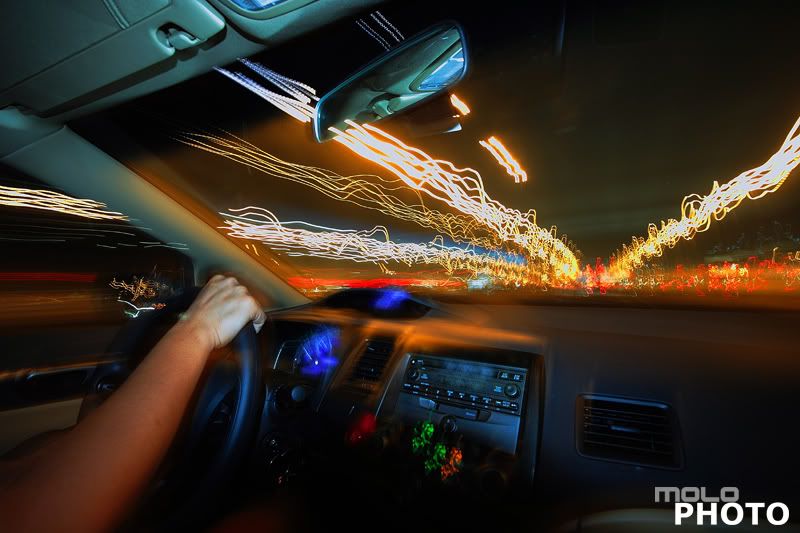
Exif
Camera Model: Canon 400D
Shutter Speed: 13 sec.
Lens Aperture: F/8
ISO: 100
Focal Length: 10mm
Exposure Program: Aperture Priority
Subscribe to:
Comments (Atom)


subscribe to updates


 Posts
All Comments
Posts
All Comments
